
 by Nana Oware
Automate Routing & Load Balancing of Microservices With Traefik Proxy
Traefik is a leading modern open source reverse proxy and ingress controller that makes deploying services and APIs easy. Traefik integrates with your existing infrastructure components and configures itself automatically and dynamically.
Traefik also comes with a powerful set of middlewares that enhance its capabilities to include load balancing, API gateway, orchestrator ingress, and more.
Now let's see how we can configure this service as a proxy server in our home-lab microservices. Before we get started, a working docker environment needs to be setup for this service. You can always check this guide out to get things done.
 Nana Oware
Before we even get started, always know that traefik proxy server can easily be deployed as executing this simple docker command as:
docker run -d -p 8080:8080 -p 80:80 \
    -v $PWD/traefik.yml:/etc/traefik/traefik.yml traefik:v3.6
However, we want more than that by integrating an opensource authentication and authorization back-end server to fulfill identity as far as security is concerned. I am going to use Authelia for this service. This ensures that only authorized people can have access to your server.
Traefik Setup:
We need to create these two directories for the setup as:
mkdir traefik

mkdir -p authelia/config
mkdir -p authelia/redis
Next is to setup our .env file which contains the configuration variables as:
# Docker 服务名称
SERVICE_NAME=traefik
# 服务域名
SERVICE_DOMAIN=traefik.linuxpad.blog
# 使用的应用镜像
DOCKER_IMAGE=traefik:latest
SERVICE_HTTP_PORT=80
SERVICE_HTTPS_PORT=443
# 示例,使用 CloudFlare 来申请证书
ACME_PROVIDER=cloudflare
[email protected]
# CF DNS API Token
CF_DNS_API_TOKEN=your-cf-dns-api-token
# DNS Domain (main)
DNS_MAIN=linuxpad.blog
# DNS Domain (list)
DNS_LIST=linuxpad.blog,*.linuxpad.blog

# Authelia Settings
AUTH_DOMAIN=auth.linuxpad.blog
This file contains variables for email, cloudflare-api-keys, and domain name, which we will use to generate ssl certificate from letsencrypt to secure our connections locally. This is completely optional and ignoring this will not affect traefik proxy in any way. The only downside is all your local services will not have a secure connection.
Now create your docker-compose.yaml file and paste this code as:
# https://soulteary.com/tags/traefik.html
version: "3"

services:
  traefik:
    container_name: ${SERVICE_NAME}
    image: ${DOCKER_IMAGE}
    restart: always
    ports:
      - target: ${SERVICE_HTTP_PORT}
        published: ${SERVICE_HTTP_PORT}
        protocol: tcp
        mode: host
      - target: ${SERVICE_HTTPS_PORT}
        published: ${SERVICE_HTTPS_PORT}
        protocol: tcp
        mode: host
      - target: ${SERVICE_HTTPS_PORT}
        published: ${SERVICE_HTTPS_PORT}
        protocol: udp
        mode: host
    command:
      # 生产使用,关闭匿名数据收集和版本检查
      - "--global.sendanonymoususage=false"
      - "--global.checknewversion=false"
      # 开放常用 WEB 端口
      - "--entrypoints.http.address=:${SERVICE_HTTP_PORT}"
      - "--entrypoints.https.address=:${SERVICE_HTTPS_PORT}"
      # 设置 HTTPS 为默认入口,允许应用不声明端口
      - "--entryPoints.https.asDefault=true"
      # 启用 HTTP/3 支持
      - "--entryPoints.https.http3"
      - "--entryPoints.https.http3.advertisedport=${SERVICE_HTTPS_PORT}"
      - "--serverstransport.insecureskipverify=true"
      # 如果是内网测试,可以信任所有转发信息
      # - "--entryPoints.https.forwardedHeaders.insecure"
      - "--entryPoints.http.forwardedHeaders.trustedIPs=127.0.0.1/32,172.18.0.1/24"
      - "--entryPoints.https.forwardedHeaders.trustedIPs=127.0.0.1/32,172.18.0.1/24"
      # 启用 API 接口
      - "--api=true"
      # 启用 Dashboard 界面
      - "--api.dashboard=true"
      # 启用 Ping 接口,用于健康检查
      - "--ping=true"
      # 日志相关设置
      - "--log.level=INFO"
      # 限制日志最大 100MB
      - "--log.maxsize=100"
      # 默认使用 common 文本格式
      - "--log.format=common"
      - "--accesslog=false"
      - "--providers.docker=true"
      - "--providers.docker.watch=true"
      - "--providers.docker.exposedbydefault=false"
      - "--providers.docker.endpoint=unix:///var/run/docker.sock"
      - "--providers.docker.useBindPortIP=false"
      - "--providers.docker.network=traefik"
      - "--providers.file=true"
      - "--providers.file.watch=true"
      - "--providers.file.directory=/etc/traefik/config"
      - "--providers.file.debugloggeneratedtemplate=true"
      # 自动申请证书
      - "--certificatesresolvers.le.acme.email=${ACME_EMAIL}"
      - "--certificatesresolvers.le.acme.storage=/data/ssl/acme.json"
      - "--certificatesresolvers.le.acme.dnsChallenge.resolvers=1.1.1.1:53,8.8.8.8:53"
      - "--certificatesresolvers.le.acme.dnsChallenge.provider=${ACME_PROVIDER}"
      - "--certificatesresolvers.le.acme.dnsChallenge.delayBeforeCheck=30"
    environment:
      - TZ=Asia/Shanghai
      - CF_DNS_API_TOKEN=${CF_DNS_API_TOKEN}
    networks:
      - traefik
    labels:
      # 用于 Traefik 服务发现
      - "traefik.enable=true"
      - "traefik.docker.network=traefik"

      # 通用 GZIP 中间件
      - "traefik.http.middlewares.gzip.compress=true"
      # 通用 HTTPS 重定向中间件
      - "traefik.http.middlewares.redir-https.redirectscheme.scheme=https"
      - "traefik.http.middlewares.redir-https.redirectscheme.permanent=false"

      # 自动注册证书
      - "traefik.http.routers.traefik-dashboard-secure.tls.certresolver=le"
      - "traefik.http.routers.traefik-dashboard-secure.tls.domains[0].main=${DNS_MAIN}"
      - "traefik.http.routers.traefik-dashboard-secure.tls.domains[0].sans=${DNS_LIST}"

      # 仅在 HTTPS 端口开放服务
      - "traefik.http.routers.traefik-dashboard-secure.tls=true"
      - "traefik.http.routers.traefik-dashboard-secure.entrypoints=https"
      - "traefik.http.routers.traefik-dashboard-secure.middlewares=gzip"
      - "traefik.http.routers.traefik-dashboard-secure.rule=Host(`${SERVICE_DOMAIN}`)"
      - "traefik.http.routers.traefik-dashboard-secure.service=dashboard@internal"

      # 将本服务的 HTTP 端口重定向到 HTTPS
      - "traefik.http.routers.traefik-dashboard-nosecure.entrypoints=http"
      - "traefik.http.routers.traefik-dashboard-nosecure.middlewares=redir-https"
      - "traefik.http.routers.traefik-dashboard-nosecure.rule=Host(`${SERVICE_DOMAIN}`)"
      - "traefik.http.routers.traefik-dashboard-nosecure.service=noop@internal"

      # 确保 Traefik API 接口正常使用
      - "traefik.http.routers.traefik-dashboard-api.tls=true"
      - "traefik.http.routers.traefik-dashboard-api.entrypoints=https"
      - "traefik.http.routers.traefik-dashboard-api.middlewares=gzip"
      - "traefik.http.routers.traefik-dashboard-api.rule=Host(`${SERVICE_DOMAIN}`) && (PathPrefix(`/api`) || PathPrefix(`/dashboard`))"
      - "traefik.http.routers.traefik-dashboard-api.service=api@internal"
    volumes:
      # 仅限标准的 Linux 环境
      - /etc/localtime:/etc/localtime:ro
      - /etc/timezone:/etc/timezone:ro
      # 用于 Traefik 服务发现
      - /var/run/docker.sock:/var/run/docker.sock:ro
      # 用户配置文件,主要用于 TLS 动态配置
      - ./config/:/etc/traefik/config/:ro
      - ./ssl/:/data/ssl/
    extra_hosts:
      # https://github.com/traefik/traefik/blob/master/pkg/version/version.go#L67
      - "update.traefik.io:127.0.0.1"
      # https://github.com/containous/traefik/blob/master/pkg/collector/collector.go#L20
      - "collect.traefik.io:127.0.0.1"
      - "stats.g.doubleclick.net:127.0.0.1"
      - "${SERVICE_DOMAIN}:127.0.0.1"
    healthcheck:
      test: ["CMD-SHELL", "wget -q --spider --proxy off localhost:8080/ping || exit 1"]
      interval: 3s
      retries: 10
    logging:
      driver: "json-file"
      options:
        max-size: "1m"

  authelia:
    image: authelia/authelia
    container_name: authelia
    volumes:
      - /home/nana/docker/authelia/config:/config
    networks:
      - traefik
    security_opt:
      - no-new-privileges:true
    labels:
      - 'traefik.enable=true'
      - 'traefik.http.routers.authelia.rule=Host(`auth.linuxpad.blog`)'
      - 'traefik.http.routers.authelia.entrypoints=https'
      - 'traefik.http.routers.authelia.tls=true'
      - 'traefik.http.middlewares.authelia.forwardAuth.address=http://authelia:9091/api/verify?rd=https://auth.linuxpad.blog'
      - 'traefik.http.middlewares.authelia.forwardAuth.trustForwardHeader=true'
      - 'traefik.http.middlewares.authelia.forwardAuth.authResponseHeaders=Remote-User,Remote-Groups,Remote-Name,Remote-Email'
      - 'traefik.http.middlewares.authelia-basic.forwardAuth.address=http://authelia:9091/api/verify?auth=basic'
      - 'traefik.http.middlewares.authelia-basic.forwardAuth.trustForwardHeader=true'
      - 'traefik.http.middlewares.authelia-basic.forwardAuth.authResponseHeaders=Remote-User,Remote-Groups,Remote-Name,Remote-Email'
      - 'traefik.http.services.authelia.loadbalancer.server.port=9091'
    ports:
      - 9091:9091
    restart: unless-stopped
    environment:
      - TZ=Europe/London
    healthcheck:
      disable: true

  redis:
    image: redis:alpine
    container_name: redis
    volumes:
      - /home/nana/docker/authelia/redis:/data
    networks:
      - traefik
    expose:
      - 6379
    restart: unless-stopped
    environment:
      - TZ=Europe/London


networks:
  traefik:
    external: true
Finally, move to your authelia directory and in the config folder, create two additional files as configuration.yml and users_database.yml.
Now copy this code snippet into the configuration.yml file as:
# yamllint disable rule:comments-indentation
---
###############################################################################
# Authelia Configuration #
###############################################################################
## Note: the container by default expects to find this file at /config/configuration.yml.
## Certificates directory specifies where Authelia will load trusted certificates (public portion) from in addition to
## the system certificates store.
## They should be in base64 format, and have one of the following extensions: *.cer, *.crt, *.pem.
# certificates_directory: /config/certificates/
## The theme to display: light, dark, grey, auto.
theme: dark
## The secret used to generate JWT tokens when validating user identity by email confirmation. JWT Secret can also be
## set using a secret: https://www.authelia.com/c/secrets
jwt_secret: 5MTF55m2tytLkXbSs95xXmVkmKRSxuvFk4pRhzHy
## Default redirection URL
##
## If user tries to authenticate without any referer, Authelia does not know where to redirect the user to at the end
## of the authentication process. This parameter allows you to specify the default redirection URL Authelia will use
## in such a case.
##
## Note: this parameter is optional. If not provided, user won't be redirected upon successful authentication.
default_redirection_url: https://linuxpad.blog/
## Set the default 2FA method for new users and for when a user has a preferred method configured that has been
## disabled. This setting must be a method that is enabled.
## Options are totp, webauthn, mobile_push.
default_2fa_method: ""
##
## Server Configuration
##
server:
## The address to listen on.
host: 0.0.0.0
## The port to listen on.
port: 9091
## Set the single level path Authelia listens on.
## Must be alphanumeric chars and should not contain any slashes.
path: ""
## Set the path on disk to Authelia assets.
## Useful to allow overriding of specific static assets.
# asset_path: /config/assets/
## Enables the pprof endpoint.
enable_pprof: false
## Enables the expvars endpoint.
enable_expvars: false
## Disables writing the health check vars to /app/.healthcheck.env which makes healthcheck.sh return exit code 0.
## This is disabled by default if either /app/.healthcheck.env or /app/healthcheck.sh do not exist.
disable_healthcheck: false
## Authelia by default doesn't accept TLS communication on the server port. This section overrides this behaviour.
tls:
## The path to the DER base64/PEM format private key.
key: ""
## The path to the DER base64/PEM format public certificate.
certificate: ""
## The list of certificates for client authentication.
client_certificates: []
## Server headers configuration/customization.
headers:
## The CSP Template. Read the docs.
csp_template: ""
## Server Buffers configuration.
# buffers:
## Buffers usually should be configured to be the same value.
## Explanation at https://www.authelia.com/c/server#buffer-sizes
## Read buffer size adjusts the server's max incoming request size in bytes.
## Write buffer size does the same for outgoing responses.
## Read buffer.
# read: 4096
## Write buffer.
# write: 4096
## Server Timeouts configuration.
# timeouts:
## Read timeout.
# read: 6s
## Write timeout.
# write: 6s
## Idle timeout.
# idle: 30s
##
## Log Configuration
##
log:
## Level of verbosity for logs: info, debug, trace.
level: debug
## Format the logs are written as: json, text.
# format: json
## File path where the logs will be written. If not set logs are written to stdout.
# file_path: /config/authelia.log
## Whether to also log to stdout when a log_file_path is defined.
# keep_stdout: false
##
## Telemetry Configuration
##
telemetry:
##
## Metrics Configuration
##
metrics:
## Enable Metrics.
enabled: false
## The address to listen on for metrics. This should be on a different port to the main server.port value.
address: tcp://0.0.0.0:9959
## Metrics Server Buffers configuration.
# buffers:
## Read buffer.
# read: 4096
## Write buffer.
# write: 4096
## Metrics Server Timeouts configuration.
# timeouts:
## Read timeout.
# read: 6s
## Write timeout.
# write: 6s
## Idle timeout.
# idle: 30s
##
## TOTP Configuration
##
## Parameters used for TOTP generation.
totp:
## Disable TOTP.
disable: false
## The issuer name displayed in the Authenticator application of your choice.
issuer: authelia.com
## The TOTP algorithm to use.
## It is CRITICAL you read the documentation before changing this option:
## https://www.authelia.com/c/totp#algorithm
algorithm: sha1
## The number of digits a user has to input. Must either be 6 or 8.
## Changing this option only affects newly generated TOTP configurations.
## It is CRITICAL you read the documentation before changing this option:
## https://www.authelia.com/c/totp#digits
digits: 6
## The period in seconds a one-time password is valid for.
## Changing this option only affects newly generated TOTP configurations.
period: 30
## The skew controls number of one-time passwords either side of the current one that are valid.
## Warning: before changing skew read the docs link below.
skew: 1
## See: https://www.authelia.com/c/totp#input-validation to read
## the documentation.
## The size of the generated shared secrets. Default is 32 and is sufficient in most use cases, minimum is 20.
secret_size: 32
##
## WebAuthn Configuration
##
## Parameters used for WebAuthn.
webauthn:
## Disable Webauthn.
disable: false
## Adjust the interaction timeout for Webauthn dialogues.
timeout: 60s
## The display name the browser should show the user for when using Webauthn to login/register.
display_name: Authelia
## Conveyance preference controls if we collect the attestation statement including the AAGUID from the device.
## Options are none, indirect, direct.
attestation_conveyance_preference: indirect
## User verification controls if the user must make a gesture or action to confirm they are present.
## Options are required, preferred, discouraged.
user_verification: preferred
##
## Duo Push API Configuration
##
## Parameters used to contact the Duo API. Those are generated when you protect an application of type
## "Partner Auth API" in the management panel.
# duo_api:
# disable: false
# hostname: api-123456789.example.com
# integration_key: ABCDEF
## Secret can also be set using a secret: https://www.authelia.com/c/secrets
# secret_key: 1234567890abcdefghifjkl
# enable_self_enrollment: false
##
## NTP Configuration
##
## This is used to validate the servers time is accurate enough to validate TOTP.
ntp:
## NTP server address.
address: "time.cloudflare.com:123"
## NTP version.
version: 4
## Maximum allowed time offset between the host and the NTP server.
max_desync: 3s
## Disables the NTP check on startup entirely. This means Authelia will not contact a remote service at all if you
## set this to true, and can operate in a truly offline mode.
disable_startup_check: false
## The default of false will prevent startup only if we can contact the NTP server and the time is out of sync with
## the NTP server more than the configured max_desync. If you set this to true, an error will be logged but startup
## will continue regardless of results.
disable_failure: false
##
## Authentication Backend Provider Configuration
##
## Used for verifying user passwords and retrieve information such as email address and groups users belong to.
##
## The available providers are: `file`, `ldap`. You must use only one of these providers.
authentication_backend:
## Password Reset Options.
password_reset:
## Disable both the HTML element and the API for reset password functionality.
disable: false
## External reset password url that redirects the user to an external reset portal. This disables the internal reset
## functionality.
custom_url: ""
## The amount of time to wait before we refresh data from the authentication backend. Uses duration notation.
## To disable this feature set it to 'disable', this will slightly reduce security because for Authelia, users will
## always belong to groups they belonged to at the time of login even if they have been removed from them in LDAP.
## To force update on every request you can set this to '0' or 'always', this will increase processor demand.
## See the below documentation for more information.
## Duration Notation docs: https://www.authelia.com/c/common#duration-notation-format
## Refresh Interval docs: https://www.authelia.com/c/1fa#refresh-interval
refresh_interval: 5m
##
## LDAP (Authentication Provider)
##
## This is the recommended Authentication Provider in production
## because it allows Authelia to offload the stateful operations
## onto the LDAP service.
# ldap:
## The LDAP implementation, this affects elements like the attribute utilised for resetting a password.
## Acceptable options are as follows:
## - 'activedirectory' - For Microsoft Active Directory.
## - 'custom' - For custom specifications of attributes and filters.
## This currently defaults to 'custom' to maintain existing behaviour.
##
## Depending on the option here certain other values in this section have a default value, notably all of the
## attribute mappings have a default value that this config overrides, you can read more about these default values
## at https://www.authelia.com/c/ldap#defaults
# implementation: custom
## The url to the ldap server. Format: <scheme>://<address>[:<port>].
## Scheme can be ldap or ldaps in the format (port optional).
# url: ldap://127.0.0.1
## The dial timeout for LDAP.
# timeout: 5s
## Use StartTLS with the LDAP connection.
# start_tls: false
# tls:
## The server subject name to check the servers certificate against during the validation process.
## This option is not required if the certificate has a SAN which matches the host portion of the url option.
# server_name: ldap.example.com
## Skip verifying the server certificate entirely. In preference to setting this we strongly recommend you add the
## certificate or the certificate of the authority signing the certificate to the certificates directory which is
## defined by the `certificates_directory` option at the top of the configuration.
## It's important to note the public key should be added to the directory, not the private key.
## This option is strongly discouraged but may be useful in some self-signed situations where validation is not
## important to the administrator.
# skip_verify: false
## Minimum TLS version for the connection.
# minimum_version: TLS1.2
## Maximum TLS version for the connection.
# maximum_version: TLS1.3
## The certificate chain used with the private_key if the server requests TLS Client Authentication
## i.e. Mutual TLS.
# certificate_chain: |
# -----BEGIN CERTIFICATE-----
# MIIC5jCCAc6gAwIBAgIRAK4Sj7FiN6PXo/urPfO4E7owDQYJKoZIhvcNAQELBQAw
# EzERMA8GA1UEChMIQXV0aGVsaWEwHhcNNzAwMTAxMDAwMDAwWhcNNzEwMTAxMDAw
# MDAwWjATMREwDwYDVQQKEwhBdXRoZWxpYTCCASIwDQYJKoZIhvcNAQEBBQADggEP
# ADCCAQoCggEBAPKv3pSyP4ozGEiVLJ14dIWFCEGEgq7WUMI0SZZqQA2ID0L59U/Q
# /Usyy7uC9gfMUzODTpANtkOjFQcQAsxlR1FOjVBrX5QgjSvXwbQn3DtwMA7XWSl6
# LuYx2rBYSlMSN5UZQm/RxMtXfLK2b51WgEEYDFi+nECSqKzR4R54eOPkBEWRfvuY
# 91AMjlhpivg8e4JWkq4LVQUKbmiFYwIdK8XQiN4blY9WwXwJFYs5sQ/UYMwBFi0H
# kWOh7GEjfxgoUOPauIueZSMSlQp7zqAH39N0ZSYb6cS0Npj57QoWZSY3ak87ebcR
# Nf4rCvZLby7LoN7qYCKxmCaDD3x2+NYpWH8CAwEAAaM1MDMwDgYDVR0PAQH/BAQD
# AgWgMBMGA1UdJQQMMAoGCCsGAQUFBwMBMAwGA1UdEwEB/wQCMAAwDQYJKoZIhvcN
# AQELBQADggEBAHSITqIQSNzonFl3DzxHPEzr2hp6peo45buAAtu8FZHoA+U7Icfh
# /ZXjPg7Xz+hgFwM/DTNGXkMWacQA/PaNWvZspgRJf2AXvNbMSs2UQODr7Tbv+Fb4
# lyblmMUNYFMCFVAMU0eIxXAFq2qcwv8UMcQFT0Z/35s6PVOakYnAGGQjTfp5Ljuq
# wsdc/xWmM0cHWube6sdRRUD7SY20KU/kWzl8iFO0VbSSrDf1AlEhnLEkp1SPaxXg
# OdBnl98MeoramNiJ7NT6Jnyb3zZ578fjaWfThiBpagItI8GZmG4s4Ovh2JbheN8i
# ZsjNr9jqHTjhyLVbDRlmJzcqoj4JhbKs6/I^invalid DO NOT USE=
# -----END CERTIFICATE-----
# -----BEGIN CERTIFICATE-----
# MIIDBDCCAeygAwIBAgIRALJsPg21kA0zY4F1wUCIuoMwDQYJKoZIhvcNAQELBQAw
# EzERMA8GA1UEChMIQXV0aGVsaWEwHhcNNzAwMTAxMDAwMDAwWhcNNzEwMTAxMDAw
# MDAwWjATMREwDwYDVQQKEwhBdXRoZWxpYTCCASIwDQYJKoZIhvcNAQEBBQADggEP
# ADCCAQoCggEBAMXHBvVxUzYk0u34/DINMSF+uiOekKOAjOrC6Mi9Ww8ytPVO7t2S
# zfTvM+XnEJqkFQFgimERfG/eGhjF9XIEY6LtnXe8ATvOK4nTwdufzBaoeQu3Gd50
# 5VXr6OHRo//ErrGvFXwP3g8xLePABsi/fkH3oDN+ztewOBMDzpd+KgTrk8ysv2ou
# kNRMKFZZqASvCgv0LD5KWvUCnL6wgf1oTXG7aztduA4oSkUP321GpOmBC5+5ElU7
# ysoRzvD12o9QJ/IfEaulIX06w9yVMo60C/h6A3U6GdkT1SiyTIqR7v7KU/IWd/Qi
# Lfftcj91VhCmJ73Meff2e2S2PrpjdXbG5FMCAwEAAaNTMFEwDgYDVR0PAQH/BAQD
# AgKkMA8GA1UdJQQIMAYGBFUdJQAwDwYDVR0TAQH/BAUwAwEB/zAdBgNVHQ4EFgQU
# Z7AtA3mzFc0InSBA5fiMfeLXA3owDQYJKoZIhvcNAQELBQADggEBAEE5hm1mtlk/
# kviCoHH4evbpw7rxPxDftIQlqYTtvMM4eWY/6icFoSZ4fUHEWYyps8SsPu/8f2tf
# 71LGgZn0FdHi1QU2H8m0HHK7TFw+5Q6RLrLdSyk0PItJ71s9en7r8pX820nAFEHZ
# HkOSfJZ7B5hFgUDkMtVM6bardXAhoqcMk4YCU96e9d4PB4eI+xGc+mNuYvov3RbB
# D0s8ICyojeyPVLerz4wHjZu68Z5frAzhZ68YbzNs8j2fIBKKHkHyLG1iQyF+LJVj
# 2PjCP+auJsj6fQQpMGoyGtpLcSDh+ptcTngUD8JsWipzTCjmaNqdPHAOYmcgtf4b
# qocikt3WAdU^invalid DO NOT USE=
# -----END CERTIFICATE-----
## The private key used with the certificate_chain if the server requests TLS Client Authentication
## i.e. Mutual TLS.
# private_key: |
# -----BEGIN RSA PRIVATE KEY-----
# MIIEpAIBAAKCAQEA8q/elLI/ijMYSJUsnXh0hYUIQYSCrtZQwjRJlmpADYgPQvn1
# T9D9SzLLu4L2B8xTM4NOkA22Q6MVBxACzGVHUU6NUGtflCCNK9fBtCfcO3AwDtdZ
# KXou5jHasFhKUxI3lRlCb9HEy1d8srZvnVaAQRgMWL6cQJKorNHhHnh44+QERZF+
# +5j3UAyOWGmK+Dx7glaSrgtVBQpuaIVjAh0rxdCI3huVj1bBfAkVizmxD9RgzAEW
# LQeRY6HsYSN/GChQ49q4i55lIxKVCnvOoAff03RlJhvpxLQ2mPntChZlJjdqTzt5
# txE1/isK9ktvLsug3upgIrGYJoMPfHb41ilYfwIDAQABAoIBAQDTOdFf2JjHH1um
# aPgRAvNf9v7Nj5jytaRKs5nM6iNf46ls4QPreXnMhqSeSwj6lpNgBYxOgzC9Q+cc
# Y4ob/paJJPaIJTxmP8K/gyWcOQlNToL1l+eJ20eQoZm23NGr5fIsunSBwLEpTrdB
# ENqqtcwhW937K8Pxy/Q1nuLyU2bc6Tn/ivLozc8n27dpQWWKh8537VY7ancIaACr
# LJJLYxKqhQpjtBWAyCDvZQirnAOm9KnvIHaGXIswCZ4Xbsu0Y9NL+woARPyRVQvG
# jfxy4EmO9s1s6y7OObSukwKDSNihAKHx/VIbvVWx8g2Lv5fGOa+J2Y7o9Qurs8t5
# BQwMTt0BAoGBAPUw5Z32EszNepAeV3E2mPFUc5CLiqAxagZJuNDO2pKtyN29ETTR
# Ma4O1cWtGb6RqcNNN/Iukfkdk27Q5nC9VJSUUPYelOLc1WYOoUf6oKRzE72dkMQV
# R4bf6TkjD+OVR17fAfkswkGahZ5XA7j48KIQ+YC4jbnYKSxZTYyKPjH/AoGBAP1i
# tqXt36OVlP+y84wWqZSjMelBIVa9phDVGJmmhz3i1cMni8eLpJzWecA3pfnG6Tm9
# ze5M4whASleEt+M00gEvNaU9ND+z0wBfi+/DwJYIbv8PQdGrBiZFrPhTPjGQUldR
# lXccV2meeLZv7TagVxSi3DO6dSJfSEHyemd5j9mBAoGAX8Hv+0gOQZQCSOTAq8Nx
# 6dZcp9gHlNaXnMsP9eTDckOSzh636JPGvj6m+GPJSSbkURUIQ3oyokMNwFqvlNos
# fTaLhAOfjBZI9WnDTTQxpugWjphJ4HqbC67JC/qIiw5S6FdaEvGLEEoD4zoChywZ
# 9oGAn+fz2d/0/JAH/FpFPgsCgYEAp/ipZgPzziiZ9ov1wbdAQcWRj7RaWnssPFpX
# jXwEiXT3CgEMO4MJ4+KWIWOChrti3qFBg6i6lDyyS6Qyls7sLFbUdC7HlTcrOEMe
# rBoTcCI1GqZNlqWOVQ65ZIEiaI7o1vPBZo2GMQEZuq8mDKFsOMThvvTrM5cAep84
# n6HJR4ECgYABWcbsSnr0MKvVth/inxjbKapbZnp2HUCuw87Ie5zK2Of/tbC20wwk
# yKw3vrGoE3O1t1g2m2tn8UGGASeZ842jZWjIODdSi5+icysQGuULKt86h/woz2SQ
# 27GoE2i5mh6Yez6VAYbUuns3FcwIsMyWLq043Tu2DNkx9ijOOAuQzw^invalid..
# DO NOT USE==
# -----END RSA PRIVATE KEY-----
## The distinguished name of the container searched for objects in the directory information tree.
## See also: additional_users_dn, additional_groups_dn.
# base_dn: dc=example,dc=com
## The attribute holding the username of the user. This attribute is used to populate the username in the session
## information. For your information, Microsoft Active Directory usually uses 'sAMAccountName' and OpenLDAP usually
## uses 'uid'. Beware that this attribute holds the unique identifiers for the users binding the user and the
## configuration stored in database. Therefore only single value attributes are allowed and the value must never be
## changed once attributed to a user otherwise it would break the configuration for that user. Technically,
## non-unique attributes like 'mail' can also be used but we don't recommend using them, we instead advise to use
## a filter to perform alternative lookups and the attributes mentioned above (sAMAccountName and uid) to
## follow https://www.ietf.org/rfc/rfc2307.txt.
# username_attribute: uid
## The additional_users_dn is prefixed to base_dn and delimited by a comma when searching for users.
## i.e. with this set to OU=Users and base_dn set to DC=a,DC=com; OU=Users,DC=a,DC=com is searched for users.
# additional_users_dn: ou=users
## The users filter used in search queries to find the user profile based on input filled in login form.
## Various placeholders are available in the user filter which you can read about in the documentation which can
## be found at: https://www.authelia.com/c/ldap#users-filter-replacements
##
## Recommended settings are as follows:
## - Microsoft Active Directory: (&({username_attribute}={input})(objectCategory=person)(objectClass=user))
## - OpenLDAP:
## - (&({username_attribute}={input})(objectClass=person))
## - (&({username_attribute}={input})(objectClass=inetOrgPerson))
##
## To allow sign in both with username and email, one can use a filter like
## (&(|({username_attribute}={input})({mail_attribute}={input}))(objectClass=person))
# users_filter: (&({username_attribute}={input})(objectClass=person))
## The additional_groups_dn is prefixed to base_dn and delimited by a comma when searching for groups.
## i.e. with this set to OU=Groups and base_dn set to DC=a,DC=com; OU=Groups,DC=a,DC=com is searched for groups.
# additional_groups_dn: ou=groups
## The groups filter used in search queries to find the groups based on relevant authenticated user.
## Various placeholders are available in the groups filter which you can read about in the documentation which can
## be found at: https://www.authelia.com/c/ldap#groups-filter-replacements
##
## If your groups use the `groupOfUniqueNames` structure use this instead:
## (&(uniqueMember={dn})(objectClass=groupOfUniqueNames))
# groups_filter: (&(member={dn})(objectClass=groupOfNames))
## The attribute holding the name of the group.
# group_name_attribute: cn
## The attribute holding the mail address of the user. If multiple email addresses are defined for a user, only the
## first one returned by the LDAP server is used.
# mail_attribute: mail
## The attribute holding the display name of the user. This will be used to greet an authenticated user.
# display_name_attribute: displayName
## Follow referrals returned by the server.
## This is especially useful for environments where read-only servers exist. Only implemented for write operations.
# permit_referrals: false
## The username and password of the admin user.
# user: cn=admin,dc=example,dc=com
## Password can also be set using a secret: https://www.authelia.com/c/secrets
# password: password
##
## File (Authentication Provider)
##
## With this backend, the users database is stored in a file which is updated when users reset their passwords.
## Therefore, this backend is meant to be used in a dev environment and not in production since it prevents Authelia
## to be scaled to more than one instance. The options under 'password' have sane defaults, and as it has security
## implications it is highly recommended you leave the default values. Before considering changing these settings
## please read the docs page below:
## https://www.authelia.com/r/passwords#tuning
##
## Important: Kubernetes (or HA) users must read https://www.authelia.com/t/statelessness
##
file:
path: /config/users_database.yml
watch: false
search:
email: false
case_insensitive: false
password:
algorithm: argon2
argon2:
variant: argon2id
iterations: 3
memory: 65536
parallelism: 4
key_length: 32
salt_length: 16
# scrypt:
# iterations: 16
# block_size: 8
# parallelism: 1
# key_length: 32
# salt_length: 16
# pbkdf2:
# variant: sha512
# iterations: 310000
# salt_length: 16
# sha2crypt:
# variant: sha512
# iterations: 50000
# salt_length: 16
# bcrypt:
# variant: standard
# cost: 12
##
## Password Policy Configuration.
##
password_policy:
## The standard policy allows you to tune individual settings manually.
standard:
enabled: false
## Require a minimum length for passwords.
min_length: 8
## Require a maximum length for passwords.
max_length: 0
## Require uppercase characters.
require_uppercase: true
## Require lowercase characters.
require_lowercase: true
## Require numeric characters.
require_number: true
## Require special characters.
require_special: true
## zxcvbn is a well known and used password strength algorithm. It does not have tunable settings.
zxcvbn:
enabled: false
## Configures the minimum score allowed.
min_score: 3
##
## Access Control Configuration
##
## Access control is a list of rules defining the authorizations applied for one resource to users or group of users.
##
## If 'access_control' is not defined, ACL rules are disabled and the 'bypass' rule is applied, i.e., access is allowed
## to anyone. Otherwise restrictions follow the rules defined.
##
## Note: One can use the wildcard * to match any subdomain.
## It must stand at the beginning of the pattern. (example: *.example.com)
##
## Note: You must put patterns containing wildcards between simple quotes for the YAML to be syntactically correct.
##
## Definition: A 'rule' is an object with the following keys: 'domain', 'subject', 'policy' and 'resources'.
##
## - 'domain' defines which domain or set of domains the rule applies to.
##
## - 'subject' defines the subject to apply authorizations to. This parameter is optional and matching any user if not
## provided. If provided, the parameter represents either a user or a group. It should be of the form
## 'user:<username>' or 'group:<groupname>'.
##
## - 'policy' is the policy to apply to resources. It must be either 'bypass', 'one_factor', 'two_factor' or 'deny'.
##
## - 'resources' is a list of regular expressions that matches a set of resources to apply the policy to. This parameter
## is optional and matches any resource if not provided.
##
## Note: the order of the rules is important. The first policy matching (domain, resource, subject) applies.
access_control:
## Default policy can either be 'bypass', 'one_factor', 'two_factor' or 'deny'. It is the policy applied to any
## resource if there is no policy to be applied to the user.
default_policy: one_factor
# networks:
# - name: internal
# networks:
# - 10.10.0.0/16
# - 192.168.2.0/24
# - name: VPN
# networks: 10.9.0.0/16
rules:
# Rules applied to everyone
- domain: linuxpad.blog
policy: bypass
- domain: traefik.linuxpad.blog
policy: one_factor
- domain: portainer.linuxpad.blog
policy: one_factor
- domain: beszel.linuxpad.blog
policy: one_factor
- domain: dozzle.linuxpad.blog
policy: one_factor
- domain: uptime-kuma.linuxpad.blog
policy: one_factor
- domain: dockge.linuxpad.blog
policy: one_factor
## Domain Regex examples. Generally we recommend just using a standard domain.
# - domain_regex: '^(?P<User>\w+)\.example\.com$'
# policy: one_factor
# - domain_regex: '^(?P<Group>\w+)\.example\.com$'
# policy: one_factor
# - domain_regex:
# - '^appgroup-.*\.example\.com$'
# - '^appgroup2-.*\.example\.com$'
# policy: one_factor
# - domain_regex: '^.*\.example\.com$'
# policy: two_factor
# - domain: 'secure.example.com'
# policy: one_factor
## Network based rule, if not provided any network matches.
# networks:
# - internal
# - VPN
# - 192.168.1.0/24
# - 10.0.0.1
# - domain:
# - 'secure.example.com'
# - 'private.example.com'
# policy: two_factor
# - domain: 'singlefactor.example.com'
# policy: one_factor
## Rules applied to 'admins' group
# - domain: 'mx2.mail.example.com'
# subject: 'group:admins'
# policy: deny
# - domain: '*.example.com'
# subject:
# - 'group:admins'
# - 'group:moderators'
# policy: two_factor
## Rules applied to 'dev' group
# - domain: 'dev.example.com'
# resources:
# - '^/groups/dev/.*$'
# subject: 'group:dev'
# policy: two_factor
## Rules applied to user 'john'
# - domain: 'dev.example.com'
# resources:
# - '^/users/john/.*$'
# subject: 'user:john'
# policy: two_factor
## Rules applied to user 'harry'
# - domain: 'dev.example.com'
# resources:
# - '^/users/harry/.*$'
# subject: 'user:harry'
# policy: two_factor
## Rules applied to user 'bob'
# - domain: '*.mail.example.com'
# subject: 'user:bob'
# policy: two_factor
# - domain: 'dev.example.com'
# resources:
# - '^/users/bob/.*$'
# subject: 'user:bob'
# policy: two_factor
##
## Session Provider Configuration
##
## The session cookies identify the user once logged in.
## The available providers are: `memory`, `redis`. Memory is the provider unless redis is defined.
session:
## The name of the session cookie.
name: authelia_session
## The domain to protect.
## Note: the authenticator must also be in that domain.
## If empty, the cookie is restricted to the subdomain of the issuer.
domain: linuxpad.blog
## Sets the Cookie SameSite value. Possible options are none, lax, or strict.
## Please read https://www.authelia.com/c/session#same_site
same_site: lax
## The secret to encrypt the session data. This is only used with Redis / Redis Sentinel.
## Secret can also be set using a secret: https://www.authelia.com/c/secrets
secret: sVmXNPbuVmVgaQ6Bqu3BPyJmP9isqdWyUwStDY5mjPd2NJyDFFR6W43CE3BjfoNZC4y5pysyMBZxr674
## The value for expiration, inactivity, and remember_me_duration are in seconds or the duration notation format.
## See: https://www.authelia.com/c/common#duration-notation-format
## All three of these values affect the cookie/session validity period. Longer periods are considered less secure
## because a stolen cookie will last longer giving attackers more time to spy or attack.
## The time before the cookie expires and the session is destroyed if remember me IS NOT selected.
expiration: 1h
## The inactivity time before the session is reset. If expiration is set to 1h, and this is set to 5m, if the user
## does not select the remember me option their session will get destroyed after 1h, or after 5m since the last time
## Authelia detected user activity.
inactivity: 5m
## The time before the cookie expires and the session is destroyed if remember me IS selected.
## Value of -1 disables remember me.
remember_me_duration: 1M
##
## Redis Provider
##
## Important: Kubernetes (or HA) users must read https://www.authelia.com/t/statelessness
##
# redis:
# host: 127.0.0.1
# port: 6379
## Use a unix socket instead
# host: /var/run/redis/redis.sock
## Username used for redis authentication. This is optional and a new feature in redis 6.0.
# username: authelia
## Password can also be set using a secret: https://www.authelia.com/c/secrets
# password: authelia
## This is the Redis DB Index https://redis.io/commands/select (sometimes referred to as database number, DB, etc).
# database_index: 0
## The maximum number of concurrent active connections to Redis.
# maximum_active_connections: 8
## The target number of idle connections to have open ready for work. Useful when opening connections is slow.
# minimum_idle_connections: 0
## The Redis TLS configuration. If defined will require a TLS connection to the Redis instance(s).
# tls:
## The server subject name to check the servers certificate against during the validation process.
## This option is not required if the certificate has a SAN which matches the host option.
# server_name: myredis.example.com
## Skip verifying the server certificate entirely. In preference to setting this we strongly recommend you add the
## certificate or the certificate of the authority signing the certificate to the certificates directory which is
## defined by the `certificates_directory` option at the top of the configuration.
## It's important to note the public key should be added to the directory, not the private key.
## This option is strongly discouraged but may be useful in some self-signed situations where validation is not
## important to the administrator.
# skip_verify: false
## Minimum TLS version for the connection.
# minimum_version: TLS1.2
## Maximum TLS version for the connection.
# maximum_version: TLS1.3
## The certificate chain used with the private_key if the server requests TLS Client Authentication
## i.e. Mutual TLS.
# certificate_chain: |
# -----BEGIN CERTIFICATE-----
# MIIC5jCCAc6gAwIBAgIRAK4Sj7FiN6PXo/urPfO4E7owDQYJKoZIhvcNAQELBQAw
# EzERMA8GA1UEChMIQXV0aGVsaWEwHhcNNzAwMTAxMDAwMDAwWhcNNzEwMTAxMDAw
# MDAwWjATMREwDwYDVQQKEwhBdXRoZWxpYTCCASIwDQYJKoZIhvcNAQEBBQADggEP
# ADCCAQoCggEBAPKv3pSyP4ozGEiVLJ14dIWFCEGEgq7WUMI0SZZqQA2ID0L59U/Q
# /Usyy7uC9gfMUzODTpANtkOjFQcQAsxlR1FOjVBrX5QgjSvXwbQn3DtwMA7XWSl6
# LuYx2rBYSlMSN5UZQm/RxMtXfLK2b51WgEEYDFi+nECSqKzR4R54eOPkBEWRfvuY
# 91AMjlhpivg8e4JWkq4LVQUKbmiFYwIdK8XQiN4blY9WwXwJFYs5sQ/UYMwBFi0H
# kWOh7GEjfxgoUOPauIueZSMSlQp7zqAH39N0ZSYb6cS0Npj57QoWZSY3ak87ebcR
# Nf4rCvZLby7LoN7qYCKxmCaDD3x2+NYpWH8CAwEAAaM1MDMwDgYDVR0PAQH/BAQD
# AgWgMBMGA1UdJQQMMAoGCCsGAQUFBwMBMAwGA1UdEwEB/wQCMAAwDQYJKoZIhvcN
# AQELBQADggEBAHSITqIQSNzonFl3DzxHPEzr2hp6peo45buAAtu8FZHoA+U7Icfh
# /ZXjPg7Xz+hgFwM/DTNGXkMWacQA/PaNWvZspgRJf2AXvNbMSs2UQODr7Tbv+Fb4
# lyblmMUNYFMCFVAMU0eIxXAFq2qcwv8UMcQFT0Z/35s6PVOakYnAGGQjTfp5Ljuq
# wsdc/xWmM0cHWube6sdRRUD7SY20KU/kWzl8iFO0VbSSrDf1AlEhnLEkp1SPaxXg
# OdBnl98MeoramNiJ7NT6Jnyb3zZ578fjaWfThiBpagItI8GZmG4s4Ovh2JbheN8i
# ZsjNr9jqHTjhyLVbDRlmJzcqoj4JhbKs6/I^invalid DO NOT USE=
# -----END CERTIFICATE-----
# -----BEGIN CERTIFICATE-----
# MIIDBDCCAeygAwIBAgIRALJsPg21kA0zY4F1wUCIuoMwDQYJKoZIhvcNAQELBQAw
# EzERMA8GA1UEChMIQXV0aGVsaWEwHhcNNzAwMTAxMDAwMDAwWhcNNzEwMTAxMDAw
# MDAwWjATMREwDwYDVQQKEwhBdXRoZWxpYTCCASIwDQYJKoZIhvcNAQEBBQADggEP
# ADCCAQoCggEBAMXHBvVxUzYk0u34/DINMSF+uiOekKOAjOrC6Mi9Ww8ytPVO7t2S
# zfTvM+XnEJqkFQFgimERfG/eGhjF9XIEY6LtnXe8ATvOK4nTwdufzBaoeQu3Gd50
# 5VXr6OHRo//ErrGvFXwP3g8xLePABsi/fkH3oDN+ztewOBMDzpd+KgTrk8ysv2ou
# kNRMKFZZqASvCgv0LD5KWvUCnL6wgf1oTXG7aztduA4oSkUP321GpOmBC5+5ElU7
# ysoRzvD12o9QJ/IfEaulIX06w9yVMo60C/h6A3U6GdkT1SiyTIqR7v7KU/IWd/Qi
# Lfftcj91VhCmJ73Meff2e2S2PrpjdXbG5FMCAwEAAaNTMFEwDgYDVR0PAQH/BAQD
# AgKkMA8GA1UdJQQIMAYGBFUdJQAwDwYDVR0TAQH/BAUwAwEB/zAdBgNVHQ4EFgQU
# Z7AtA3mzFc0InSBA5fiMfeLXA3owDQYJKoZIhvcNAQELBQADggEBAEE5hm1mtlk/
# kviCoHH4evbpw7rxPxDftIQlqYTtvMM4eWY/6icFoSZ4fUHEWYyps8SsPu/8f2tf
# 71LGgZn0FdHi1QU2H8m0HHK7TFw+5Q6RLrLdSyk0PItJ71s9en7r8pX820nAFEHZ
# HkOSfJZ7B5hFgUDkMtVM6bardXAhoqcMk4YCU96e9d4PB4eI+xGc+mNuYvov3RbB
# D0s8ICyojeyPVLerz4wHjZu68Z5frAzhZ68YbzNs8j2fIBKKHkHyLG1iQyF+LJVj
# 2PjCP+auJsj6fQQpMGoyGtpLcSDh+ptcTngUD8JsWipzTCjmaNqdPHAOYmcgtf4b
# qocikt3WAdU^invalid DO NOT USE=
# -----END CERTIFICATE-----
## The private key used with the certificate_chain if the server requests TLS Client Authentication
## i.e. Mutual TLS.
# private_key: |
# -----BEGIN RSA PRIVATE KEY-----
# MIIEpAIBAAKCAQEA8q/elLI/ijMYSJUsnXh0hYUIQYSCrtZQwjRJlmpADYgPQvn1
# T9D9SzLLu4L2B8xTM4NOkA22Q6MVBxACzGVHUU6NUGtflCCNK9fBtCfcO3AwDtdZ
# KXou5jHasFhKUxI3lRlCb9HEy1d8srZvnVaAQRgMWL6cQJKorNHhHnh44+QERZF+
# +5j3UAyOWGmK+Dx7glaSrgtVBQpuaIVjAh0rxdCI3huVj1bBfAkVizmxD9RgzAEW
# LQeRY6HsYSN/GChQ49q4i55lIxKVCnvOoAff03RlJhvpxLQ2mPntChZlJjdqTzt5
# txE1/isK9ktvLsug3upgIrGYJoMPfHb41ilYfwIDAQABAoIBAQDTOdFf2JjHH1um
# aPgRAvNf9v7Nj5jytaRKs5nM6iNf46ls4QPreXnMhqSeSwj6lpNgBYxOgzC9Q+cc
# Y4ob/paJJPaIJTxmP8K/gyWcOQlNToL1l+eJ20eQoZm23NGr5fIsunSBwLEpTrdB
# ENqqtcwhW937K8Pxy/Q1nuLyU2bc6Tn/ivLozc8n27dpQWWKh8537VY7ancIaACr
# LJJLYxKqhQpjtBWAyCDvZQirnAOm9KnvIHaGXIswCZ4Xbsu0Y9NL+woARPyRVQvG
# jfxy4EmO9s1s6y7OObSukwKDSNihAKHx/VIbvVWx8g2Lv5fGOa+J2Y7o9Qurs8t5
# BQwMTt0BAoGBAPUw5Z32EszNepAeV3E2mPFUc5CLiqAxagZJuNDO2pKtyN29ETTR
# Ma4O1cWtGb6RqcNNN/Iukfkdk27Q5nC9VJSUUPYelOLc1WYOoUf6oKRzE72dkMQV
# R4bf6TkjD+OVR17fAfkswkGahZ5XA7j48KIQ+YC4jbnYKSxZTYyKPjH/AoGBAP1i
# tqXt36OVlP+y84wWqZSjMelBIVa9phDVGJmmhz3i1cMni8eLpJzWecA3pfnG6Tm9
# ze5M4whASleEt+M00gEvNaU9ND+z0wBfi+/DwJYIbv8PQdGrBiZFrPhTPjGQUldR
# lXccV2meeLZv7TagVxSi3DO6dSJfSEHyemd5j9mBAoGAX8Hv+0gOQZQCSOTAq8Nx
# 6dZcp9gHlNaXnMsP9eTDckOSzh636JPGvj6m+GPJSSbkURUIQ3oyokMNwFqvlNos
# fTaLhAOfjBZI9WnDTTQxpugWjphJ4HqbC67JC/qIiw5S6FdaEvGLEEoD4zoChywZ
# 9oGAn+fz2d/0/JAH/FpFPgsCgYEAp/ipZgPzziiZ9ov1wbdAQcWRj7RaWnssPFpX
# jXwEiXT3CgEMO4MJ4+KWIWOChrti3qFBg6i6lDyyS6Qyls7sLFbUdC7HlTcrOEMe
# rBoTcCI1GqZNlqWOVQ65ZIEiaI7o1vPBZo2GMQEZuq8mDKFsOMThvvTrM5cAep84
# n6HJR4ECgYABWcbsSnr0MKvVth/inxjbKapbZnp2HUCuw87Ie5zK2Of/tbC20wwk
# yKw3vrGoE3O1t1g2m2tn8UGGASeZ842jZWjIODdSi5+icysQGuULKt86h/woz2SQ
# 27GoE2i5mh6Yez6VAYbUuns3FcwIsMyWLq043Tu2DNkx9ijOOAuQzw^invalid..
# DO NOT USE==
# -----END RSA PRIVATE KEY-----
## The Redis HA configuration options.
## This provides specific options to Redis Sentinel, sentinel_name must be defined (Master Name).
# high_availability:
## Sentinel Name / Master Name.
# sentinel_name: mysentinel
## Specific username for Redis Sentinel. The node username and password is configured above.
# sentinel_username: sentinel_specific_user
## Specific password for Redis Sentinel. The node username and password is configured above.
# sentinel_password: sentinel_specific_pass
## The additional nodes to pre-seed the redis provider with (for sentinel).
## If the host in the above section is defined, it will be combined with this list to connect to sentinel.
## For high availability to be used you must have either defined; the host above or at least one node below.
# nodes:
# - host: sentinel-node1
# port: 6379
# - host: sentinel-node2
# port: 6379
## Choose the host with the lowest latency.
# route_by_latency: false
## Choose the host randomly.
# route_randomly: false
##
## Regulation Configuration
##
## This mechanism prevents attackers from brute forcing the first factor. It bans the user if too many attempts are made
## in a short period of time.
regulation:
## The number of failed login attempts before user is banned. Set it to 0 to disable regulation.
max_retries: 3
## The time range during which the user can attempt login before being banned. The user is banned if the
## authentication failed 'max_retries' times in a 'find_time' seconds window. Find Time accepts duration notation.
## See: https://www.authelia.com/c/common#duration-notation-format
find_time: 2m
## The length of time before a banned user can login again. Ban Time accepts duration notation.
## See: https://www.authelia.com/c/common#duration-notation-format
ban_time: 5m
##
## Storage Provider Configuration
##
## The available providers are: `local`, `mysql`, `postgres`. You must use one and only one of these providers.
storage:
## The encryption key that is used to encrypt sensitive information in the database. Must be a string with a minimum
## length of 20. Please see the docs if you configure this with an undesirable key and need to change it, you MUST use
## the CLI to change this in the database if you want to change it from a previously configured value.
encryption_key: AT7dbftdXhP9ti2vbULB7quQPzrF34tiHXHJ4YRSmfuMokpxDKcS6pUjVLEVVHErNWvmAzZjJ77pGnqz
##
## Local (Storage Provider)
##
## This stores the data in a SQLite3 Database.
## This is only recommended for lightweight non-stateful installations.
##
## Important: Kubernetes (or HA) users must read https://www.authelia.com/t/statelessness
##
local:
## Path to the SQLite3 Database.
path: /config/db.sqlite3
##
## MySQL / MariaDB (Storage Provider)
##
# mysql:
# host: 127.0.0.1
# port: 3306
# database: authelia
# username: authelia
## Password can also be set using a secret: https://www.authelia.com/c/secrets
# password: mypassword
# timeout: 5s
## MySQL TLS settings. Configuring this requires TLS.
# tls:
## The server subject name to check the servers certificate against during the validation process.
## This option is not required if the certificate has a SAN which matches the host option.
# server_name: mysql.example.com
## Skip verifying the server certificate entirely. In preference to setting this we strongly recommend you add the
## certificate or the certificate of the authority signing the certificate to the certificates directory which is
## defined by the `certificates_directory` option at the top of the configuration.
## It's important to note the public key should be added to the directory, not the private key.
## This option is strongly discouraged but may be useful in some self-signed situations where validation is not
## important to the administrator.
# skip_verify: false
## Minimum TLS version for the connection.
# minimum_version: TLS1.2
## Maximum TLS version for the connection.
# maximum_version: TLS1.3
## The certificate chain used with the private_key if the server requests TLS Client Authentication
## i.e. Mutual TLS.
# certificate_chain: |
# -----BEGIN CERTIFICATE-----
# MIIC5jCCAc6gAwIBAgIRAK4Sj7FiN6PXo/urPfO4E7owDQYJKoZIhvcNAQELBQAw
# EzERMA8GA1UEChMIQXV0aGVsaWEwHhcNNzAwMTAxMDAwMDAwWhcNNzEwMTAxMDAw
# MDAwWjATMREwDwYDVQQKEwhBdXRoZWxpYTCCASIwDQYJKoZIhvcNAQEBBQADggEP
# ADCCAQoCggEBAPKv3pSyP4ozGEiVLJ14dIWFCEGEgq7WUMI0SZZqQA2ID0L59U/Q
# /Usyy7uC9gfMUzODTpANtkOjFQcQAsxlR1FOjVBrX5QgjSvXwbQn3DtwMA7XWSl6
# LuYx2rBYSlMSN5UZQm/RxMtXfLK2b51WgEEYDFi+nECSqKzR4R54eOPkBEWRfvuY
# 91AMjlhpivg8e4JWkq4LVQUKbmiFYwIdK8XQiN4blY9WwXwJFYs5sQ/UYMwBFi0H
# kWOh7GEjfxgoUOPauIueZSMSlQp7zqAH39N0ZSYb6cS0Npj57QoWZSY3ak87ebcR
# Nf4rCvZLby7LoN7qYCKxmCaDD3x2+NYpWH8CAwEAAaM1MDMwDgYDVR0PAQH/BAQD
# AgWgMBMGA1UdJQQMMAoGCCsGAQUFBwMBMAwGA1UdEwEB/wQCMAAwDQYJKoZIhvcN
# AQELBQADggEBAHSITqIQSNzonFl3DzxHPEzr2hp6peo45buAAtu8FZHoA+U7Icfh
# /ZXjPg7Xz+hgFwM/DTNGXkMWacQA/PaNWvZspgRJf2AXvNbMSs2UQODr7Tbv+Fb4
# lyblmMUNYFMCFVAMU0eIxXAFq2qcwv8UMcQFT0Z/35s6PVOakYnAGGQjTfp5Ljuq
# wsdc/xWmM0cHWube6sdRRUD7SY20KU/kWzl8iFO0VbSSrDf1AlEhnLEkp1SPaxXg
# OdBnl98MeoramNiJ7NT6Jnyb3zZ578fjaWfThiBpagItI8GZmG4s4Ovh2JbheN8i
# ZsjNr9jqHTjhyLVbDRlmJzcqoj4JhbKs6/I^invalid DO NOT USE=
# -----END CERTIFICATE-----
# -----BEGIN CERTIFICATE-----
# MIIDBDCCAeygAwIBAgIRALJsPg21kA0zY4F1wUCIuoMwDQYJKoZIhvcNAQELBQAw
# EzERMA8GA1UEChMIQXV0aGVsaWEwHhcNNzAwMTAxMDAwMDAwWhcNNzEwMTAxMDAw
# MDAwWjATMREwDwYDVQQKEwhBdXRoZWxpYTCCASIwDQYJKoZIhvcNAQEBBQADggEP
# ADCCAQoCggEBAMXHBvVxUzYk0u34/DINMSF+uiOekKOAjOrC6Mi9Ww8ytPVO7t2S
# zfTvM+XnEJqkFQFgimERfG/eGhjF9XIEY6LtnXe8ATvOK4nTwdufzBaoeQu3Gd50
# 5VXr6OHRo//ErrGvFXwP3g8xLePABsi/fkH3oDN+ztewOBMDzpd+KgTrk8ysv2ou
# kNRMKFZZqASvCgv0LD5KWvUCnL6wgf1oTXG7aztduA4oSkUP321GpOmBC5+5ElU7
# ysoRzvD12o9QJ/IfEaulIX06w9yVMo60C/h6A3U6GdkT1SiyTIqR7v7KU/IWd/Qi
# Lfftcj91VhCmJ73Meff2e2S2PrpjdXbG5FMCAwEAAaNTMFEwDgYDVR0PAQH/BAQD
# AgKkMA8GA1UdJQQIMAYGBFUdJQAwDwYDVR0TAQH/BAUwAwEB/zAdBgNVHQ4EFgQU
# Z7AtA3mzFc0InSBA5fiMfeLXA3owDQYJKoZIhvcNAQELBQADggEBAEE5hm1mtlk/
# kviCoHH4evbpw7rxPxDftIQlqYTtvMM4eWY/6icFoSZ4fUHEWYyps8SsPu/8f2tf
# 71LGgZn0FdHi1QU2H8m0HHK7TFw+5Q6RLrLdSyk0PItJ71s9en7r8pX820nAFEHZ
# HkOSfJZ7B5hFgUDkMtVM6bardXAhoqcMk4YCU96e9d4PB4eI+xGc+mNuYvov3RbB
# D0s8ICyojeyPVLerz4wHjZu68Z5frAzhZ68YbzNs8j2fIBKKHkHyLG1iQyF+LJVj
# 2PjCP+auJsj6fQQpMGoyGtpLcSDh+ptcTngUD8JsWipzTCjmaNqdPHAOYmcgtf4b
# qocikt3WAdU^invalid DO NOT USE=
# -----END CERTIFICATE-----
## The private key used with the certificate_chain if the server requests TLS Client Authentication
## i.e. Mutual TLS.
# private_key: |
# -----BEGIN RSA PRIVATE KEY-----
# MIIEpAIBAAKCAQEA8q/elLI/ijMYSJUsnXh0hYUIQYSCrtZQwjRJlmpADYgPQvn1
# T9D9SzLLu4L2B8xTM4NOkA22Q6MVBxACzGVHUU6NUGtflCCNK9fBtCfcO3AwDtdZ
# KXou5jHasFhKUxI3lRlCb9HEy1d8srZvnVaAQRgMWL6cQJKorNHhHnh44+QERZF+
# +5j3UAyOWGmK+Dx7glaSrgtVBQpuaIVjAh0rxdCI3huVj1bBfAkVizmxD9RgzAEW
# LQeRY6HsYSN/GChQ49q4i55lIxKVCnvOoAff03RlJhvpxLQ2mPntChZlJjdqTzt5
# txE1/isK9ktvLsug3upgIrGYJoMPfHb41ilYfwIDAQABAoIBAQDTOdFf2JjHH1um
# aPgRAvNf9v7Nj5jytaRKs5nM6iNf46ls4QPreXnMhqSeSwj6lpNgBYxOgzC9Q+cc
# Y4ob/paJJPaIJTxmP8K/gyWcOQlNToL1l+eJ20eQoZm23NGr5fIsunSBwLEpTrdB
# ENqqtcwhW937K8Pxy/Q1nuLyU2bc6Tn/ivLozc8n27dpQWWKh8537VY7ancIaACr
# LJJLYxKqhQpjtBWAyCDvZQirnAOm9KnvIHaGXIswCZ4Xbsu0Y9NL+woARPyRVQvG
# jfxy4EmO9s1s6y7OObSukwKDSNihAKHx/VIbvVWx8g2Lv5fGOa+J2Y7o9Qurs8t5
# BQwMTt0BAoGBAPUw5Z32EszNepAeV3E2mPFUc5CLiqAxagZJuNDO2pKtyN29ETTR
# Ma4O1cWtGb6RqcNNN/Iukfkdk27Q5nC9VJSUUPYelOLc1WYOoUf6oKRzE72dkMQV
# R4bf6TkjD+OVR17fAfkswkGahZ5XA7j48KIQ+YC4jbnYKSxZTYyKPjH/AoGBAP1i
# tqXt36OVlP+y84wWqZSjMelBIVa9phDVGJmmhz3i1cMni8eLpJzWecA3pfnG6Tm9
# ze5M4whASleEt+M00gEvNaU9ND+z0wBfi+/DwJYIbv8PQdGrBiZFrPhTPjGQUldR
# lXccV2meeLZv7TagVxSi3DO6dSJfSEHyemd5j9mBAoGAX8Hv+0gOQZQCSOTAq8Nx
# 6dZcp9gHlNaXnMsP9eTDckOSzh636JPGvj6m+GPJSSbkURUIQ3oyokMNwFqvlNos
# fTaLhAOfjBZI9WnDTTQxpugWjphJ4HqbC67JC/qIiw5S6FdaEvGLEEoD4zoChywZ
# 9oGAn+fz2d/0/JAH/FpFPgsCgYEAp/ipZgPzziiZ9ov1wbdAQcWRj7RaWnssPFpX
# jXwEiXT3CgEMO4MJ4+KWIWOChrti3qFBg6i6lDyyS6Qyls7sLFbUdC7HlTcrOEMe
# rBoTcCI1GqZNlqWOVQ65ZIEiaI7o1vPBZo2GMQEZuq8mDKFsOMThvvTrM5cAep84
# n6HJR4ECgYABWcbsSnr0MKvVth/inxjbKapbZnp2HUCuw87Ie5zK2Of/tbC20wwk
# yKw3vrGoE3O1t1g2m2tn8UGGASeZ842jZWjIODdSi5+icysQGuULKt86h/woz2SQ
# 27GoE2i5mh6Yez6VAYbUuns3FcwIsMyWLq043Tu2DNkx9ijOOAuQzw^invalid..
# DO NOT USE==
# -----END RSA PRIVATE KEY-----
##
## PostgreSQL (Storage Provider)
##
# postgres:
# host: 127.0.0.1
# port: 5432
# database: authelia
# schema: public
# username: authelia
## Password can also be set using a secret: https://www.authelia.com/c/secrets
# password: mypassword
# timeout: 5s
## PostgreSQL TLS settings. Configuring this requires TLS.
# tls:
## The server subject name to check the servers certificate against during the validation process.
## This option is not required if the certificate has a SAN which matches the host option.
# server_name: postgres.example.com
## Skip verifying the server certificate entirely. In preference to setting this we strongly recommend you add the
## certificate or the certificate of the authority signing the certificate to the certificates directory which is
## defined by the `certificates_directory` option at the top of the configuration.
## It's important to note the public key should be added to the directory, not the private key.
## This option is strongly discouraged but may be useful in some self-signed situations where validation is not
## important to the administrator.
# skip_verify: false
## Minimum TLS version for the connection.
# minimum_version: TLS1.2
## Maximum TLS version for the connection.
# maximum_version: TLS1.3
## The certificate chain used with the private_key if the server requests TLS Client Authentication
## i.e. Mutual TLS.
# certificate_chain: |
# -----BEGIN CERTIFICATE-----
# MIIC5jCCAc6gAwIBAgIRAK4Sj7FiN6PXo/urPfO4E7owDQYJKoZIhvcNAQELBQAw
# EzERMA8GA1UEChMIQXV0aGVsaWEwHhcNNzAwMTAxMDAwMDAwWhcNNzEwMTAxMDAw
# MDAwWjATMREwDwYDVQQKEwhBdXRoZWxpYTCCASIwDQYJKoZIhvcNAQEBBQADggEP
# ADCCAQoCggEBAPKv3pSyP4ozGEiVLJ14dIWFCEGEgq7WUMI0SZZqQA2ID0L59U/Q
# /Usyy7uC9gfMUzODTpANtkOjFQcQAsxlR1FOjVBrX5QgjSvXwbQn3DtwMA7XWSl6
# LuYx2rBYSlMSN5UZQm/RxMtXfLK2b51WgEEYDFi+nECSqKzR4R54eOPkBEWRfvuY
# 91AMjlhpivg8e4JWkq4LVQUKbmiFYwIdK8XQiN4blY9WwXwJFYs5sQ/UYMwBFi0H
# kWOh7GEjfxgoUOPauIueZSMSlQp7zqAH39N0ZSYb6cS0Npj57QoWZSY3ak87ebcR
# Nf4rCvZLby7LoN7qYCKxmCaDD3x2+NYpWH8CAwEAAaM1MDMwDgYDVR0PAQH/BAQD
# AgWgMBMGA1UdJQQMMAoGCCsGAQUFBwMBMAwGA1UdEwEB/wQCMAAwDQYJKoZIhvcN
# AQELBQADggEBAHSITqIQSNzonFl3DzxHPEzr2hp6peo45buAAtu8FZHoA+U7Icfh
# /ZXjPg7Xz+hgFwM/DTNGXkMWacQA/PaNWvZspgRJf2AXvNbMSs2UQODr7Tbv+Fb4
# lyblmMUNYFMCFVAMU0eIxXAFq2qcwv8UMcQFT0Z/35s6PVOakYnAGGQjTfp5Ljuq
# wsdc/xWmM0cHWube6sdRRUD7SY20KU/kWzl8iFO0VbSSrDf1AlEhnLEkp1SPaxXg
# OdBnl98MeoramNiJ7NT6Jnyb3zZ578fjaWfThiBpagItI8GZmG4s4Ovh2JbheN8i
# ZsjNr9jqHTjhyLVbDRlmJzcqoj4JhbKs6/I^invalid DO NOT USE=
# -----END CERTIFICATE-----
# -----BEGIN CERTIFICATE-----
# MIIDBDCCAeygAwIBAgIRALJsPg21kA0zY4F1wUCIuoMwDQYJKoZIhvcNAQELBQAw
# EzERMA8GA1UEChMIQXV0aGVsaWEwHhcNNzAwMTAxMDAwMDAwWhcNNzEwMTAxMDAw
# MDAwWjATMREwDwYDVQQKEwhBdXRoZWxpYTCCASIwDQYJKoZIhvcNAQEBBQADggEP
# ADCCAQoCggEBAMXHBvVxUzYk0u34/DINMSF+uiOekKOAjOrC6Mi9Ww8ytPVO7t2S
# zfTvM+XnEJqkFQFgimERfG/eGhjF9XIEY6LtnXe8ATvOK4nTwdufzBaoeQu3Gd50
# 5VXr6OHRo//ErrGvFXwP3g8xLePABsi/fkH3oDN+ztewOBMDzpd+KgTrk8ysv2ou
# kNRMKFZZqASvCgv0LD5KWvUCnL6wgf1oTXG7aztduA4oSkUP321GpOmBC5+5ElU7
# ysoRzvD12o9QJ/IfEaulIX06w9yVMo60C/h6A3U6GdkT1SiyTIqR7v7KU/IWd/Qi
# Lfftcj91VhCmJ73Meff2e2S2PrpjdXbG5FMCAwEAAaNTMFEwDgYDVR0PAQH/BAQD
# AgKkMA8GA1UdJQQIMAYGBFUdJQAwDwYDVR0TAQH/BAUwAwEB/zAdBgNVHQ4EFgQU
# Z7AtA3mzFc0InSBA5fiMfeLXA3owDQYJKoZIhvcNAQELBQADggEBAEE5hm1mtlk/
# kviCoHH4evbpw7rxPxDftIQlqYTtvMM4eWY/6icFoSZ4fUHEWYyps8SsPu/8f2tf
# 71LGgZn0FdHi1QU2H8m0HHK7TFw+5Q6RLrLdSyk0PItJ71s9en7r8pX820nAFEHZ
# HkOSfJZ7B5hFgUDkMtVM6bardXAhoqcMk4YCU96e9d4PB4eI+xGc+mNuYvov3RbB
# D0s8ICyojeyPVLerz4wHjZu68Z5frAzhZ68YbzNs8j2fIBKKHkHyLG1iQyF+LJVj
# 2PjCP+auJsj6fQQpMGoyGtpLcSDh+ptcTngUD8JsWipzTCjmaNqdPHAOYmcgtf4b
# qocikt3WAdU^invalid DO NOT USE=
# -----END CERTIFICATE-----
## The private key used with the certificate_chain if the server requests TLS Client Authentication
## i.e. Mutual TLS.
# private_key: |
# -----BEGIN RSA PRIVATE KEY-----
# MIIEpAIBAAKCAQEA8q/elLI/ijMYSJUsnXh0hYUIQYSCrtZQwjRJlmpADYgPQvn1
# T9D9SzLLu4L2B8xTM4NOkA22Q6MVBxACzGVHUU6NUGtflCCNK9fBtCfcO3AwDtdZ
# KXou5jHasFhKUxI3lRlCb9HEy1d8srZvnVaAQRgMWL6cQJKorNHhHnh44+QERZF+
# +5j3UAyOWGmK+Dx7glaSrgtVBQpuaIVjAh0rxdCI3huVj1bBfAkVizmxD9RgzAEW
# LQeRY6HsYSN/GChQ49q4i55lIxKVCnvOoAff03RlJhvpxLQ2mPntChZlJjdqTzt5
# txE1/isK9ktvLsug3upgIrGYJoMPfHb41ilYfwIDAQABAoIBAQDTOdFf2JjHH1um
# aPgRAvNf9v7Nj5jytaRKs5nM6iNf46ls4QPreXnMhqSeSwj6lpNgBYxOgzC9Q+cc
# Y4ob/paJJPaIJTxmP8K/gyWcOQlNToL1l+eJ20eQoZm23NGr5fIsunSBwLEpTrdB
# ENqqtcwhW937K8Pxy/Q1nuLyU2bc6Tn/ivLozc8n27dpQWWKh8537VY7ancIaACr
# LJJLYxKqhQpjtBWAyCDvZQirnAOm9KnvIHaGXIswCZ4Xbsu0Y9NL+woARPyRVQvG
# jfxy4EmO9s1s6y7OObSukwKDSNihAKHx/VIbvVWx8g2Lv5fGOa+J2Y7o9Qurs8t5
# BQwMTt0BAoGBAPUw5Z32EszNepAeV3E2mPFUc5CLiqAxagZJuNDO2pKtyN29ETTR
# Ma4O1cWtGb6RqcNNN/Iukfkdk27Q5nC9VJSUUPYelOLc1WYOoUf6oKRzE72dkMQV
# R4bf6TkjD+OVR17fAfkswkGahZ5XA7j48KIQ+YC4jbnYKSxZTYyKPjH/AoGBAP1i
# tqXt36OVlP+y84wWqZSjMelBIVa9phDVGJmmhz3i1cMni8eLpJzWecA3pfnG6Tm9
# ze5M4whASleEt+M00gEvNaU9ND+z0wBfi+/DwJYIbv8PQdGrBiZFrPhTPjGQUldR
# lXccV2meeLZv7TagVxSi3DO6dSJfSEHyemd5j9mBAoGAX8Hv+0gOQZQCSOTAq8Nx
# 6dZcp9gHlNaXnMsP9eTDckOSzh636JPGvj6m+GPJSSbkURUIQ3oyokMNwFqvlNos
# fTaLhAOfjBZI9WnDTTQxpugWjphJ4HqbC67JC/qIiw5S6FdaEvGLEEoD4zoChywZ
# 9oGAn+fz2d/0/JAH/FpFPgsCgYEAp/ipZgPzziiZ9ov1wbdAQcWRj7RaWnssPFpX
# jXwEiXT3CgEMO4MJ4+KWIWOChrti3qFBg6i6lDyyS6Qyls7sLFbUdC7HlTcrOEMe
# rBoTcCI1GqZNlqWOVQ65ZIEiaI7o1vPBZo2GMQEZuq8mDKFsOMThvvTrM5cAep84
# n6HJR4ECgYABWcbsSnr0MKvVth/inxjbKapbZnp2HUCuw87Ie5zK2Of/tbC20wwk
# yKw3vrGoE3O1t1g2m2tn8UGGASeZ842jZWjIODdSi5+icysQGuULKt86h/woz2SQ
# 27GoE2i5mh6Yez6VAYbUuns3FcwIsMyWLq043Tu2DNkx9ijOOAuQzw^invalid..
# DO NOT USE==
# -----END RSA PRIVATE KEY-----
##
## Notification Provider
##
## Notifications are sent to users when they require a password reset, a Webauthn registration or a TOTP registration.
## The available providers are: filesystem, smtp. You must use only one of these providers.
notifier:
## You can disable the notifier startup check by setting this to true.
disable_startup_check: false
##
## File System (Notification Provider)
##
## Important: Kubernetes (or HA) users must read https://www.authelia.com/t/statelessness
##
filesystem:
filename: /config/notification.txt
##
## SMTP (Notification Provider)
##
## Use a SMTP server for sending notifications. Authelia uses the PLAIN or LOGIN methods to authenticate.
## [Security] By default Authelia will:
## - force all SMTP connections over TLS including unauthenticated connections
## - use the disable_require_tls boolean value to disable this requirement
## (only works for unauthenticated connections)
## - validate the SMTP server x509 certificate during the TLS handshake against the hosts trusted certificates
## (configure in tls section)
# smtp:
## The SMTP host to connect to.
# host: 127.0.0.1
## The port to connect to the SMTP host on.
# port: 1025
## The connection timeout.
# timeout: 5s
## The username used for SMTP authentication.
# username: test
## The password used for SMTP authentication.
## Can also be set using a secret: https://www.authelia.com/c/secrets
# password: password
## The sender is used to is used for the MAIL FROM command and the FROM header.
## If this is not defined and the username is an email, we use the username as this value. This can either be just
## an email address or the RFC5322 'Name <email address>' format.
# sender: "Authelia <[email protected]>"
## HELO/EHLO Identifier. Some SMTP Servers may reject the default of localhost.
# identifier: localhost
## Subject configuration of the emails sent. {title} is replaced by the text from the notifier.
# subject: "[Authelia] {title}"
## This address is used during the startup check to verify the email configuration is correct.
## It's not important what it is except if your email server only allows local delivery.
# startup_check_address: [email protected]
## By default we require some form of TLS. This disables this check though is not advised.
# disable_require_tls: false
## Disables sending HTML formatted emails.
# disable_html_emails: false
# tls:
## The server subject name to check the servers certificate against during the validation process.
## This option is not required if the certificate has a SAN which matches the host option.
# server_name: smtp.example.com
## Skip verifying the server certificate entirely. In preference to setting this we strongly recommend you add the
## certificate or the certificate of the authority signing the certificate to the certificates directory which is
## defined by the `certificates_directory` option at the top of the configuration.
## It's important to note the public key should be added to the directory, not the private key.
## This option is strongly discouraged but may be useful in some self-signed situations where validation is not
## important to the administrator.
# skip_verify: false
## Minimum TLS version for the connection.
# minimum_version: TLS1.2
## Maximum TLS version for the connection.
# maximum_version: TLS1.3
## The certificate chain used with the private_key if the server requests TLS Client Authentication
## i.e. Mutual TLS.
# certificate_chain: |
# -----BEGIN CERTIFICATE-----
# MIIC5jCCAc6gAwIBAgIRAK4Sj7FiN6PXo/urPfO4E7owDQYJKoZIhvcNAQELBQAw
# EzERMA8GA1UEChMIQXV0aGVsaWEwHhcNNzAwMTAxMDAwMDAwWhcNNzEwMTAxMDAw
# MDAwWjATMREwDwYDVQQKEwhBdXRoZWxpYTCCASIwDQYJKoZIhvcNAQEBBQADggEP
# ADCCAQoCggEBAPKv3pSyP4ozGEiVLJ14dIWFCEGEgq7WUMI0SZZqQA2ID0L59U/Q
# /Usyy7uC9gfMUzODTpANtkOjFQcQAsxlR1FOjVBrX5QgjSvXwbQn3DtwMA7XWSl6
# LuYx2rBYSlMSN5UZQm/RxMtXfLK2b51WgEEYDFi+nECSqKzR4R54eOPkBEWRfvuY
# 91AMjlhpivg8e4JWkq4LVQUKbmiFYwIdK8XQiN4blY9WwXwJFYs5sQ/UYMwBFi0H
# kWOh7GEjfxgoUOPauIueZSMSlQp7zqAH39N0ZSYb6cS0Npj57QoWZSY3ak87ebcR
# Nf4rCvZLby7LoN7qYCKxmCaDD3x2+NYpWH8CAwEAAaM1MDMwDgYDVR0PAQH/BAQD
# AgWgMBMGA1UdJQQMMAoGCCsGAQUFBwMBMAwGA1UdEwEB/wQCMAAwDQYJKoZIhvcN
# AQELBQADggEBAHSITqIQSNzonFl3DzxHPEzr2hp6peo45buAAtu8FZHoA+U7Icfh
# /ZXjPg7Xz+hgFwM/DTNGXkMWacQA/PaNWvZspgRJf2AXvNbMSs2UQODr7Tbv+Fb4
# lyblmMUNYFMCFVAMU0eIxXAFq2qcwv8UMcQFT0Z/35s6PVOakYnAGGQjTfp5Ljuq
# wsdc/xWmM0cHWube6sdRRUD7SY20KU/kWzl8iFO0VbSSrDf1AlEhnLEkp1SPaxXg
# OdBnl98MeoramNiJ7NT6Jnyb3zZ578fjaWfThiBpagItI8GZmG4s4Ovh2JbheN8i
# ZsjNr9jqHTjhyLVbDRlmJzcqoj4JhbKs6/I^invalid DO NOT USE=
# -----END CERTIFICATE-----
# -----BEGIN CERTIFICATE-----
# MIIDBDCCAeygAwIBAgIRALJsPg21kA0zY4F1wUCIuoMwDQYJKoZIhvcNAQELBQAw
# EzERMA8GA1UEChMIQXV0aGVsaWEwHhcNNzAwMTAxMDAwMDAwWhcNNzEwMTAxMDAw
# MDAwWjATMREwDwYDVQQKEwhBdXRoZWxpYTCCASIwDQYJKoZIhvcNAQEBBQADggEP
# ADCCAQoCggEBAMXHBvVxUzYk0u34/DINMSF+uiOekKOAjOrC6Mi9Ww8ytPVO7t2S
# zfTvM+XnEJqkFQFgimERfG/eGhjF9XIEY6LtnXe8ATvOK4nTwdufzBaoeQu3Gd50
# 5VXr6OHRo//ErrGvFXwP3g8xLePABsi/fkH3oDN+ztewOBMDzpd+KgTrk8ysv2ou
# kNRMKFZZqASvCgv0LD5KWvUCnL6wgf1oTXG7aztduA4oSkUP321GpOmBC5+5ElU7
# ysoRzvD12o9QJ/IfEaulIX06w9yVMo60C/h6A3U6GdkT1SiyTIqR7v7KU/IWd/Qi
# Lfftcj91VhCmJ73Meff2e2S2PrpjdXbG5FMCAwEAAaNTMFEwDgYDVR0PAQH/BAQD
# AgKkMA8GA1UdJQQIMAYGBFUdJQAwDwYDVR0TAQH/BAUwAwEB/zAdBgNVHQ4EFgQU
# Z7AtA3mzFc0InSBA5fiMfeLXA3owDQYJKoZIhvcNAQELBQADggEBAEE5hm1mtlk/
# kviCoHH4evbpw7rxPxDftIQlqYTtvMM4eWY/6icFoSZ4fUHEWYyps8SsPu/8f2tf
# 71LGgZn0FdHi1QU2H8m0HHK7TFw+5Q6RLrLdSyk0PItJ71s9en7r8pX820nAFEHZ
# HkOSfJZ7B5hFgUDkMtVM6bardXAhoqcMk4YCU96e9d4PB4eI+xGc+mNuYvov3RbB
# D0s8ICyojeyPVLerz4wHjZu68Z5frAzhZ68YbzNs8j2fIBKKHkHyLG1iQyF+LJVj
# 2PjCP+auJsj6fQQpMGoyGtpLcSDh+ptcTngUD8JsWipzTCjmaNqdPHAOYmcgtf4b
# qocikt3WAdU^invalid DO NOT USE=
# -----END CERTIFICATE-----
## The private key used with the certificate_chain if the server requests TLS Client Authentication
## i.e. Mutual TLS.
# private_key: |
# -----BEGIN RSA PRIVATE KEY-----
# MIIEpAIBAAKCAQEA8q/elLI/ijMYSJUsnXh0hYUIQYSCrtZQwjRJlmpADYgPQvn1
# T9D9SzLLu4L2B8xTM4NOkA22Q6MVBxACzGVHUU6NUGtflCCNK9fBtCfcO3AwDtdZ
# KXou5jHasFhKUxI3lRlCb9HEy1d8srZvnVaAQRgMWL6cQJKorNHhHnh44+QERZF+
# +5j3UAyOWGmK+Dx7glaSrgtVBQpuaIVjAh0rxdCI3huVj1bBfAkVizmxD9RgzAEW
# LQeRY6HsYSN/GChQ49q4i55lIxKVCnvOoAff03RlJhvpxLQ2mPntChZlJjdqTzt5
# txE1/isK9ktvLsug3upgIrGYJoMPfHb41ilYfwIDAQABAoIBAQDTOdFf2JjHH1um
# aPgRAvNf9v7Nj5jytaRKs5nM6iNf46ls4QPreXnMhqSeSwj6lpNgBYxOgzC9Q+cc
# Y4ob/paJJPaIJTxmP8K/gyWcOQlNToL1l+eJ20eQoZm23NGr5fIsunSBwLEpTrdB
# ENqqtcwhW937K8Pxy/Q1nuLyU2bc6Tn/ivLozc8n27dpQWWKh8537VY7ancIaACr
# LJJLYxKqhQpjtBWAyCDvZQirnAOm9KnvIHaGXIswCZ4Xbsu0Y9NL+woARPyRVQvG
# jfxy4EmO9s1s6y7OObSukwKDSNihAKHx/VIbvVWx8g2Lv5fGOa+J2Y7o9Qurs8t5
# BQwMTt0BAoGBAPUw5Z32EszNepAeV3E2mPFUc5CLiqAxagZJuNDO2pKtyN29ETTR
# Ma4O1cWtGb6RqcNNN/Iukfkdk27Q5nC9VJSUUPYelOLc1WYOoUf6oKRzE72dkMQV
# R4bf6TkjD+OVR17fAfkswkGahZ5XA7j48KIQ+YC4jbnYKSxZTYyKPjH/AoGBAP1i
# tqXt36OVlP+y84wWqZSjMelBIVa9phDVGJmmhz3i1cMni8eLpJzWecA3pfnG6Tm9
# ze5M4whASleEt+M00gEvNaU9ND+z0wBfi+/DwJYIbv8PQdGrBiZFrPhTPjGQUldR
# lXccV2meeLZv7TagVxSi3DO6dSJfSEHyemd5j9mBAoGAX8Hv+0gOQZQCSOTAq8Nx
# 6dZcp9gHlNaXnMsP9eTDckOSzh636JPGvj6m+GPJSSbkURUIQ3oyokMNwFqvlNos
# fTaLhAOfjBZI9WnDTTQxpugWjphJ4HqbC67JC/qIiw5S6FdaEvGLEEoD4zoChywZ
# 9oGAn+fz2d/0/JAH/FpFPgsCgYEAp/ipZgPzziiZ9ov1wbdAQcWRj7RaWnssPFpX
# jXwEiXT3CgEMO4MJ4+KWIWOChrti3qFBg6i6lDyyS6Qyls7sLFbUdC7HlTcrOEMe
# rBoTcCI1GqZNlqWOVQ65ZIEiaI7o1vPBZo2GMQEZuq8mDKFsOMThvvTrM5cAep84
# n6HJR4ECgYABWcbsSnr0MKvVth/inxjbKapbZnp2HUCuw87Ie5zK2Of/tbC20wwk
# yKw3vrGoE3O1t1g2m2tn8UGGASeZ842jZWjIODdSi5+icysQGuULKt86h/woz2SQ
# 27GoE2i5mh6Yez6VAYbUuns3FcwIsMyWLq043Tu2DNkx9ijOOAuQzw^invalid..
# DO NOT USE==
# -----END RSA PRIVATE KEY-----
##
## Identity Providers
##
# identity_providers:
##
## OpenID Connect (Identity Provider)
##
## It's recommended you read the documentation before configuration of this section:
## https://www.authelia.com/c/oidc
# oidc:
## The hmac_secret is used to sign OAuth2 tokens (authorization code, access tokens and refresh tokens).
## HMAC Secret can also be set using a secret: https://www.authelia.com/c/secrets
# hmac_secret: this_is_a_secret_abc123abc123abc
## The issuer_certificate_chain is an optional PEM encoded certificate chain. It's used in conjunction with the
## issuer_private_key to sign JWT's. All certificates in the chain must be within the validity period, and every
## certificate included must be signed by the certificate immediately after it if provided.
# issuer_certificate_chain: |
# -----BEGIN CERTIFICATE-----
# MIIC5jCCAc6gAwIBAgIRAK4Sj7FiN6PXo/urPfO4E7owDQYJKoZIhvcNAQELBQAw
# EzERMA8GA1UEChMIQXV0aGVsaWEwHhcNNzAwMTAxMDAwMDAwWhcNNzEwMTAxMDAw
# MDAwWjATMREwDwYDVQQKEwhBdXRoZWxpYTCCASIwDQYJKoZIhvcNAQEBBQADggEP
# ADCCAQoCggEBAPKv3pSyP4ozGEiVLJ14dIWFCEGEgq7WUMI0SZZqQA2ID0L59U/Q
# /Usyy7uC9gfMUzODTpANtkOjFQcQAsxlR1FOjVBrX5QgjSvXwbQn3DtwMA7XWSl6
# LuYx2rBYSlMSN5UZQm/RxMtXfLK2b51WgEEYDFi+nECSqKzR4R54eOPkBEWRfvuY
# 91AMjlhpivg8e4JWkq4LVQUKbmiFYwIdK8XQiN4blY9WwXwJFYs5sQ/UYMwBFi0H
# kWOh7GEjfxgoUOPauIueZSMSlQp7zqAH39N0ZSYb6cS0Npj57QoWZSY3ak87ebcR
# Nf4rCvZLby7LoN7qYCKxmCaDD3x2+NYpWH8CAwEAAaM1MDMwDgYDVR0PAQH/BAQD
# AgWgMBMGA1UdJQQMMAoGCCsGAQUFBwMBMAwGA1UdEwEB/wQCMAAwDQYJKoZIhvcN
# AQELBQADggEBAHSITqIQSNzonFl3DzxHPEzr2hp6peo45buAAtu8FZHoA+U7Icfh
# /ZXjPg7Xz+hgFwM/DTNGXkMWacQA/PaNWvZspgRJf2AXvNbMSs2UQODr7Tbv+Fb4
# lyblmMUNYFMCFVAMU0eIxXAFq2qcwv8UMcQFT0Z/35s6PVOakYnAGGQjTfp5Ljuq
# wsdc/xWmM0cHWube6sdRRUD7SY20KU/kWzl8iFO0VbSSrDf1AlEhnLEkp1SPaxXg
# OdBnl98MeoramNiJ7NT6Jnyb3zZ578fjaWfThiBpagItI8GZmG4s4Ovh2JbheN8i
# ZsjNr9jqHTjhyLVbDRlmJzcqoj4JhbKs6/I^invalid DO NOT USE=
# -----END CERTIFICATE-----
# -----BEGIN CERTIFICATE-----
# MIIDBDCCAeygAwIBAgIRALJsPg21kA0zY4F1wUCIuoMwDQYJKoZIhvcNAQELBQAw
# EzERMA8GA1UEChMIQXV0aGVsaWEwHhcNNzAwMTAxMDAwMDAwWhcNNzEwMTAxMDAw
# MDAwWjATMREwDwYDVQQKEwhBdXRoZWxpYTCCASIwDQYJKoZIhvcNAQEBBQADggEP
# ADCCAQoCggEBAMXHBvVxUzYk0u34/DINMSF+uiOekKOAjOrC6Mi9Ww8ytPVO7t2S
# zfTvM+XnEJqkFQFgimERfG/eGhjF9XIEY6LtnXe8ATvOK4nTwdufzBaoeQu3Gd50
# 5VXr6OHRo//ErrGvFXwP3g8xLePABsi/fkH3oDN+ztewOBMDzpd+KgTrk8ysv2ou
# kNRMKFZZqASvCgv0LD5KWvUCnL6wgf1oTXG7aztduA4oSkUP321GpOmBC5+5ElU7
# ysoRzvD12o9QJ/IfEaulIX06w9yVMo60C/h6A3U6GdkT1SiyTIqR7v7KU/IWd/Qi
# Lfftcj91VhCmJ73Meff2e2S2PrpjdXbG5FMCAwEAAaNTMFEwDgYDVR0PAQH/BAQD
# AgKkMA8GA1UdJQQIMAYGBFUdJQAwDwYDVR0TAQH/BAUwAwEB/zAdBgNVHQ4EFgQU
# Z7AtA3mzFc0InSBA5fiMfeLXA3owDQYJKoZIhvcNAQELBQADggEBAEE5hm1mtlk/
# kviCoHH4evbpw7rxPxDftIQlqYTtvMM4eWY/6icFoSZ4fUHEWYyps8SsPu/8f2tf
# 71LGgZn0FdHi1QU2H8m0HHK7TFw+5Q6RLrLdSyk0PItJ71s9en7r8pX820nAFEHZ
# HkOSfJZ7B5hFgUDkMtVM6bardXAhoqcMk4YCU96e9d4PB4eI+xGc+mNuYvov3RbB
# D0s8ICyojeyPVLerz4wHjZu68Z5frAzhZ68YbzNs8j2fIBKKHkHyLG1iQyF+LJVj
# 2PjCP+auJsj6fQQpMGoyGtpLcSDh+ptcTngUD8JsWipzTCjmaNqdPHAOYmcgtf4b
# qocikt3WAdU^invalid DO NOT USE=
# -----END CERTIFICATE-----
## The issuer_private_key is used to sign the JWT forged by OpenID Connect.
## Issuer Private Key can also be set using a secret: https://www.authelia.com/c/secrets
# issuer_private_key: |
# -----BEGIN RSA PRIVATE KEY-----
# MIIEpAIBAAKCAQEA8q/elLI/ijMYSJUsnXh0hYUIQYSCrtZQwjRJlmpADYgPQvn1
# T9D9SzLLu4L2B8xTM4NOkA22Q6MVBxACzGVHUU6NUGtflCCNK9fBtCfcO3AwDtdZ
# KXou5jHasFhKUxI3lRlCb9HEy1d8srZvnVaAQRgMWL6cQJKorNHhHnh44+QERZF+
# +5j3UAyOWGmK+Dx7glaSrgtVBQpuaIVjAh0rxdCI3huVj1bBfAkVizmxD9RgzAEW
# LQeRY6HsYSN/GChQ49q4i55lIxKVCnvOoAff03RlJhvpxLQ2mPntChZlJjdqTzt5
# txE1/isK9ktvLsug3upgIrGYJoMPfHb41ilYfwIDAQABAoIBAQDTOdFf2JjHH1um
# aPgRAvNf9v7Nj5jytaRKs5nM6iNf46ls4QPreXnMhqSeSwj6lpNgBYxOgzC9Q+cc
# Y4ob/paJJPaIJTxmP8K/gyWcOQlNToL1l+eJ20eQoZm23NGr5fIsunSBwLEpTrdB
# ENqqtcwhW937K8Pxy/Q1nuLyU2bc6Tn/ivLozc8n27dpQWWKh8537VY7ancIaACr
# LJJLYxKqhQpjtBWAyCDvZQirnAOm9KnvIHaGXIswCZ4Xbsu0Y9NL+woARPyRVQvG
# jfxy4EmO9s1s6y7OObSukwKDSNihAKHx/VIbvVWx8g2Lv5fGOa+J2Y7o9Qurs8t5
# BQwMTt0BAoGBAPUw5Z32EszNepAeV3E2mPFUc5CLiqAxagZJuNDO2pKtyN29ETTR
# Ma4O1cWtGb6RqcNNN/Iukfkdk27Q5nC9VJSUUPYelOLc1WYOoUf6oKRzE72dkMQV
# R4bf6TkjD+OVR17fAfkswkGahZ5XA7j48KIQ+YC4jbnYKSxZTYyKPjH/AoGBAP1i
# tqXt36OVlP+y84wWqZSjMelBIVa9phDVGJmmhz3i1cMni8eLpJzWecA3pfnG6Tm9
# ze5M4whASleEt+M00gEvNaU9ND+z0wBfi+/DwJYIbv8PQdGrBiZFrPhTPjGQUldR
# lXccV2meeLZv7TagVxSi3DO6dSJfSEHyemd5j9mBAoGAX8Hv+0gOQZQCSOTAq8Nx
# 6dZcp9gHlNaXnMsP9eTDckOSzh636JPGvj6m+GPJSSbkURUIQ3oyokMNwFqvlNos
# fTaLhAOfjBZI9WnDTTQxpugWjphJ4HqbC67JC/qIiw5S6FdaEvGLEEoD4zoChywZ
# 9oGAn+fz2d/0/JAH/FpFPgsCgYEAp/ipZgPzziiZ9ov1wbdAQcWRj7RaWnssPFpX
# jXwEiXT3CgEMO4MJ4+KWIWOChrti3qFBg6i6lDyyS6Qyls7sLFbUdC7HlTcrOEMe
# rBoTcCI1GqZNlqWOVQ65ZIEiaI7o1vPBZo2GMQEZuq8mDKFsOMThvvTrM5cAep84
# n6HJR4ECgYABWcbsSnr0MKvVth/inxjbKapbZnp2HUCuw87Ie5zK2Of/tbC20wwk
# yKw3vrGoE3O1t1g2m2tn8UGGASeZ842jZWjIODdSi5+icysQGuULKt86h/woz2SQ
# 27GoE2i5mh6Yez6VAYbUuns3FcwIsMyWLq043Tu2DNkx9ijOOAuQzw^invalid..
# DO NOT USE==
# -----END RSA PRIVATE KEY-----
## The lifespans configure the expiration for these token types.
# access_token_lifespan: 1h
# authorize_code_lifespan: 1m
# id_token_lifespan: 1h
# refresh_token_lifespan: 90m
## Enables additional debug messages.
# enable_client_debug_messages: false
## SECURITY NOTICE: It's not recommended changing this option and values below 8 are strongly discouraged.
# minimum_parameter_entropy: 8
## SECURITY NOTICE: It's not recommended changing this option, and highly discouraged to have it set to 'never'
## for security reasons.
# enforce_pkce: public_clients_only
## Cross-Origin Resource Sharing (CORS) settings.
# cors:
## List of endpoints in addition to the metadata endpoints to permit cross-origin requests on.
# endpoints:
# - authorization
# - token
# - revocation
# - introspection
# - userinfo
## List of allowed origins.
## Any origin with https is permitted unless this option is configured or the
## allowed_origins_from_client_redirect_uris option is enabled.
# allowed_origins:
# - https://example.com
## Automatically adds the origin portion of all redirect URI's on all clients to the list of allowed_origins,
## provided they have the scheme http or https and do not have the hostname of localhost.
# allowed_origins_from_client_redirect_uris: false
## Clients is a list of known clients and their configuration.
# clients:
# -
## The ID is the OpenID Connect ClientID which is used to link an application to a configuration.
# id: myapp
## The description to show to users when they end up on the consent screen. Defaults to the ID above.
# description: My Application
## The client secret is a shared secret between Authelia and the consumer of this client.
# secret: this_is_a_secret
## Sector Identifiers are occasionally used to generate pairwise subject identifiers. In most cases this is not
## necessary. Read the documentation for more information.
## The subject identifier must be the host component of a URL, which is a domain name with an optional port.
# sector_identifier: example.com
## Sets the client to public. This should typically not be set, please see the documentation for usage.
# public: false
## The policy to require for this client; one_factor or two_factor.
# authorization_policy: two_factor
## The consent mode controls how consent is obtained.
# consent_mode: auto
## This value controls the duration a consent on this client remains remembered when the consent mode is
## configured as 'auto' or 'pre-configured'.
# pre_configured_consent_duration: 1w
## Audience this client is allowed to request.
# audience: []
## Scopes this client is allowed to request.
# scopes:
# - openid
# - groups
# - email
# - profile
## Redirect URI's specifies a list of valid case-sensitive callbacks for this client.
# redirect_uris:
# - https://oidc.example.com:8080/oauth2/callback
## Grant Types configures which grants this client can obtain.
## It's not recommended to define this unless you know what you're doing.
# grant_types:
# - refresh_token
# - authorization_code
## Response Types configures which responses this client can be sent.
## It's not recommended to define this unless you know what you're doing.
# response_types:
# - code
## Response Modes configures which response modes this client supports.
# response_modes:
# - form_post
# - query
# - fragment
## The algorithm used to sign userinfo endpoint responses for this client, either none or RS256.
# userinfo_signing_algorithm: none
...This file contains the configuration for authelia. Make sure to change the domain name variables. Also, you can set the authentication methods for your microservices from bypass, one_factor and two_factor methods to suit your needs.
Finally, copy this code snippet into the users_database.yml file as:
---
###############################################################
#                         Users Database                      #
###############################################################

# This file can be used if you do not have an LDAP set up.

# List of users
users:
  nana:
    disabled: false
    displayname: "Nana"
    # Password is akwasi123
    password: "$argon2id$v=19$m=65536,t=3,p=4$umrgBi+cn03iaSZqedcc4g$saG2lv5popbMo2HdvQwDN+bor/GpHZFj/BL7UCIkLaU"
    email: [email protected]
    groups:
      - admins
      - dev
...
You can use this simple docker run command to generate a new password as:
docker run --rm authelia/authelia:latest authelia crypto hash generate argon2 --password 'password'The great thing about this is you can set multiple users with their access for different services in a production environment.
Finally, make sure to create the docker network traefik before you start the proxy server.
If everything goes well, you should see something similar to this:
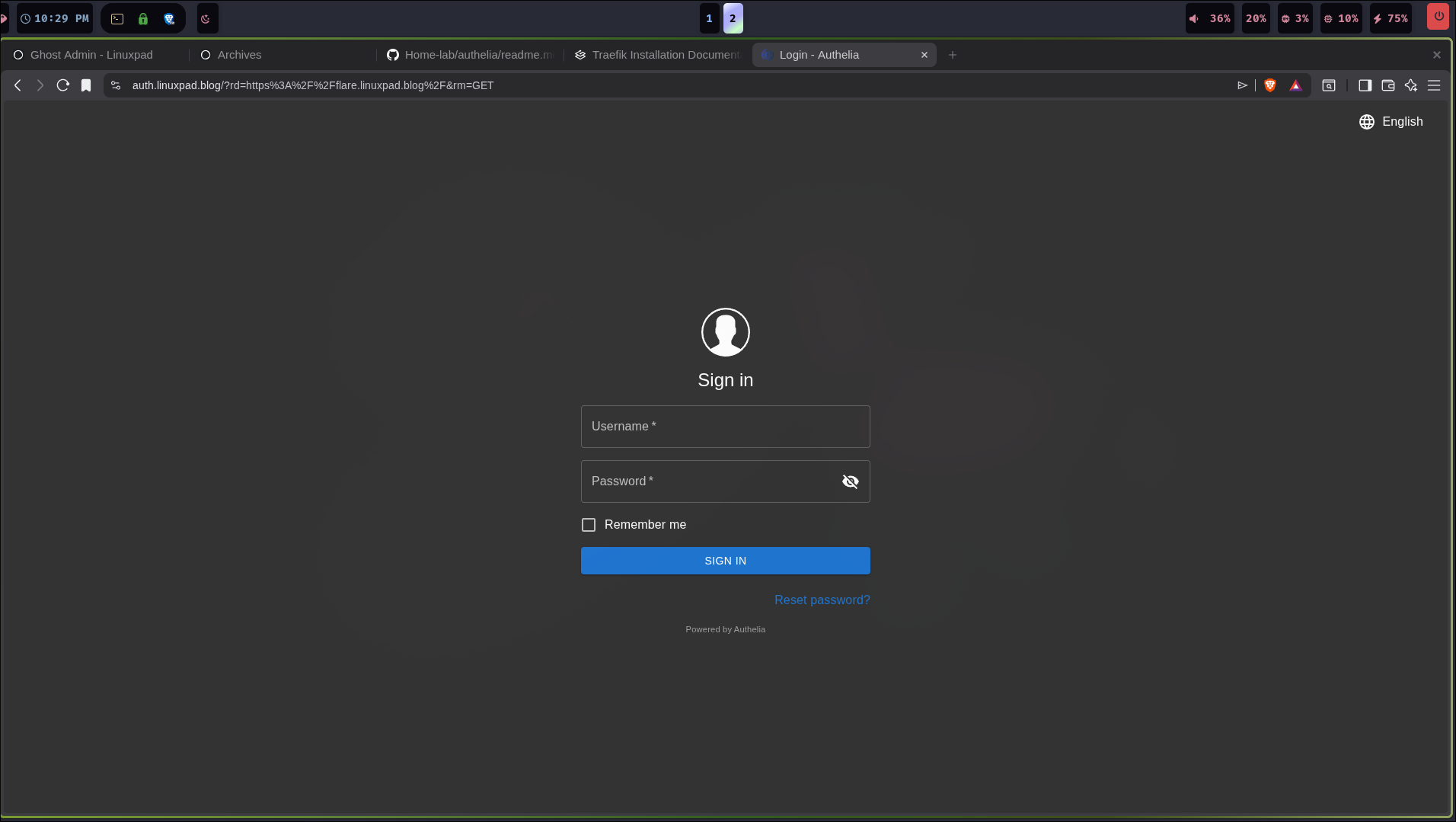
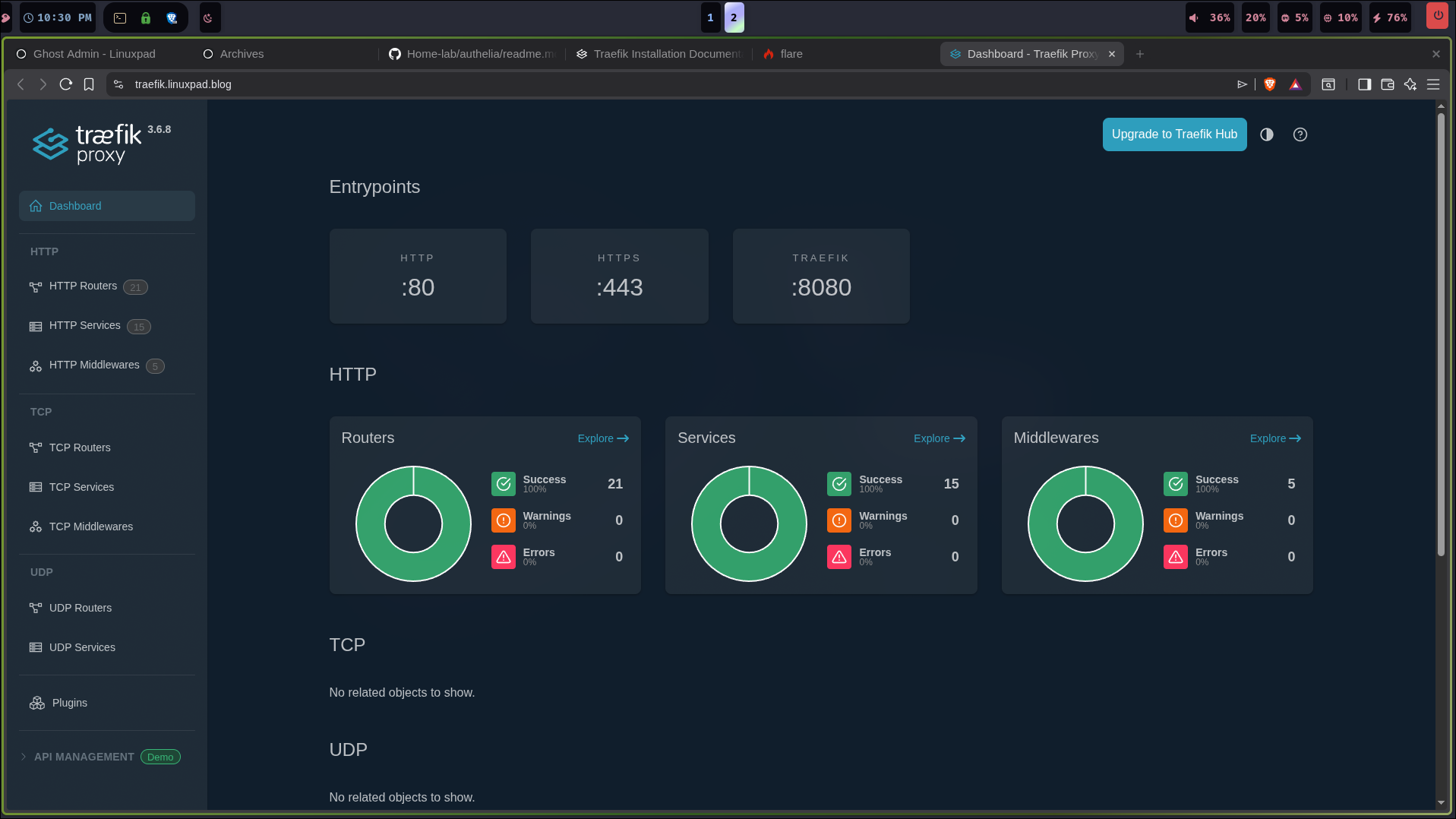
That's should be it! Happy Self-hosting!