

In a modern home-lab or production environment, containerization is king. We spin up Docker containers for everything—from hosting this Ghost blog to running databases and reverse proxies. But as your stack grows from three containers to thirty, a critical question arises: How do you actually know your containers are healthy under the hood?
Standard Docker restarts tell you if a container crashes, but they don’t tell you if an application is frozen, deadlocked, or suffering from silent network failures.
Enter Dockprobe—a lightweight, developer-focused probing tool designed to bring Kubernetes-style liveness and readiness checks straight to native Docker environments.
The Problem with Basic Docker Healthchecks
Docker has a built-in HEALTHCHECK instruction, which is a great starting point. However, configuring complex, multi-step probes directly inside a docker-compose.yml file often leads to messy, unmaintainable shell scripts embedded in your YAML configurations.
If you want to orchestrate advanced logic—like checking an HTTP status code, verifying a database connection string, and ensuring a local cache layer is responsive all at once—your configuration files quickly become a nightmare to debug.
What is Dockprobe?
Dockprobe acts as a dedicated, centralized observation agent for your local container engine. Instead of forcing individual containers to bundle heavy curl binaries or custom scripting utilities just to check their own health, Dockprobe monitors them externally or injects minimal, optimized probes dynamically.
Here is what makes it a powerhouse for home-labs and lean server environments:
-
Kubernetes-Style Probes: It brings the concept of Liveness (is the app alive or deadlocked?) and Readiness (is the app actually ready to accept traffic?) to standard Docker.
-
Declarative Configuration: Define all your container probes in a clean, centralized configuration file rather than scattering shell syntax across your deployment files.
-
Zero-Bloat Architecture: It keeps your primary application containers micro-sized and secure because they don’t need extra troubleshooting utilities compiled into their base layers.
Getting Started: A Simple Configuration
Setting up Dockprobe in your environment is straightforward. You run Dockprobe as a lightweight background daemon alongside your existing stacks.
Here is an example of how cleanly you can define an HTTP status probe for a web service:
Copy and paste this in your generated docker-compose.yaml file:
services:
  monitor:
    image: deeponinc/dockprobe:latest
    container_name: dockprobe
    restart: unless-stopped
    networks:
      - traefik
    ports:
      # Keeps your host port as 9096 but correctly routes to container 9090
      - "9096:9090"
    volumes:
      - /var/run/docker.sock:/var/run/docker.sock:ro
      - /sys:/host_sys:ro
      - /proc:/host_proc:ro
      - /:/host_root:ro
      - monitor_data:/data
      - ./certs:/certs:ro
    environment:
      - TELEGRAM_BOT_TOKEN=${TELEGRAM_BOT_TOKEN}
      - TELEGRAM_CHAT_ID=${TELEGRAM_CHAT_ID}
      - CPU_THRESHOLD=${CPU_THRESHOLD:-80}
      - AUTH_USER=${AUTH_USER}
      - AUTH_PASS=${AUTH_PASS}
      - MAX_CONNECTIONS=${MAX_CONNECTIONS:-3}
      - TRUSTED_PROXIES=${TRUSTED_PROXIES}
    healthcheck:
      # Restored back to the default internal 9090 port
      test: ["CMD", "python", "-c", "import urllib.request,ssl; c=ssl._create_unverified_context(); urllib.request.urlopen('https://localhost:9090/api/health',context=c) if __import__('os').path.exists('/certs/cert.pem') else urllib.request.urlopen('http://localhost:9090/api/health')"]
      interval: 30s
      timeout: 10s
      retries: 3
    labels:
      - "traefik.enable=true"
      - "traefik.docker.network=traefik"

      # HTTP Router
      - "traefik.http.routers.dockprobe-http.entrypoints=http"
      - "traefik.http.routers.dockprobe-http.middlewares=redir-https@file"
      - "traefik.http.routers.dockprobe-http.rule=Host(`dockprobe.linuxpad.blog`)"
      - "traefik.http.routers.dockprobe-http.service=noop@internal"

      # HTTPS Router
      - "traefik.http.routers.dockprobe-https.entrypoints=https"
      - "traefik.http.routers.dockprobe-https.tls=true"
      - "traefik.http.routers.dockprobe-https.tls.certresolver=le"
      - "traefik.http.routers.dockprobe-https.rule=Host(`dockprobe.linuxpad.blog`)"
      - "traefik.http.routers.dockprobe-https.middlewares=gzip@file,authelia@docker"
      - "traefik.http.routers.dockprobe-https.service=dockprobe-backend"

      # FIXED: Tell Traefik to hit the app's real hardcoded internal port
      - "traefik.http.services.dockprobe-backend.loadbalancer.server.port=9090"

  tunnel:
    image: cloudflare/cloudflared:latest
    container_name: dockprobe-tunnel
    restart: unless-stopped
    command: tunnel --no-autoupdate run
    environment:
      - TUNNEL_TOKEN=${CF_TUNNEL_TOKEN}
    depends_on:
      - monitor
    profiles:
      - tunnel

volumes:
  monitor_data:

networks:
  traefik:
    external: true
Next copy and paste this code snippet in your generated .env file:
# DockProbe Configuration
# Copy this file to .env and fill in your values:
#   cp .env.example .env

# Authentication (required, minimum 8 characters for password)
AUTH_USER=admin
AUTH_PASS=

# Telegram alerts (optional)
TELEGRAM_BOT_TOKEN=
TELEGRAM_CHAT_ID=

# Anomaly thresholds (optional)
CPU_THRESHOLD=80
MEM_THRESHOLD=90

# Max simultaneous connections (optional, 0 = unlimited)
MAX_CONNECTIONS=3

# Port (optional, default 9090)
MONITOR_PORT=9096

# Cloudflare Tunnel (optional, for --profile tunnel)
CF_TUNNEL_TOKEN=

# Trusted proxy IPs for X-Forwarded-For (comma-separated, optional)
TRUSTED_PROXIES=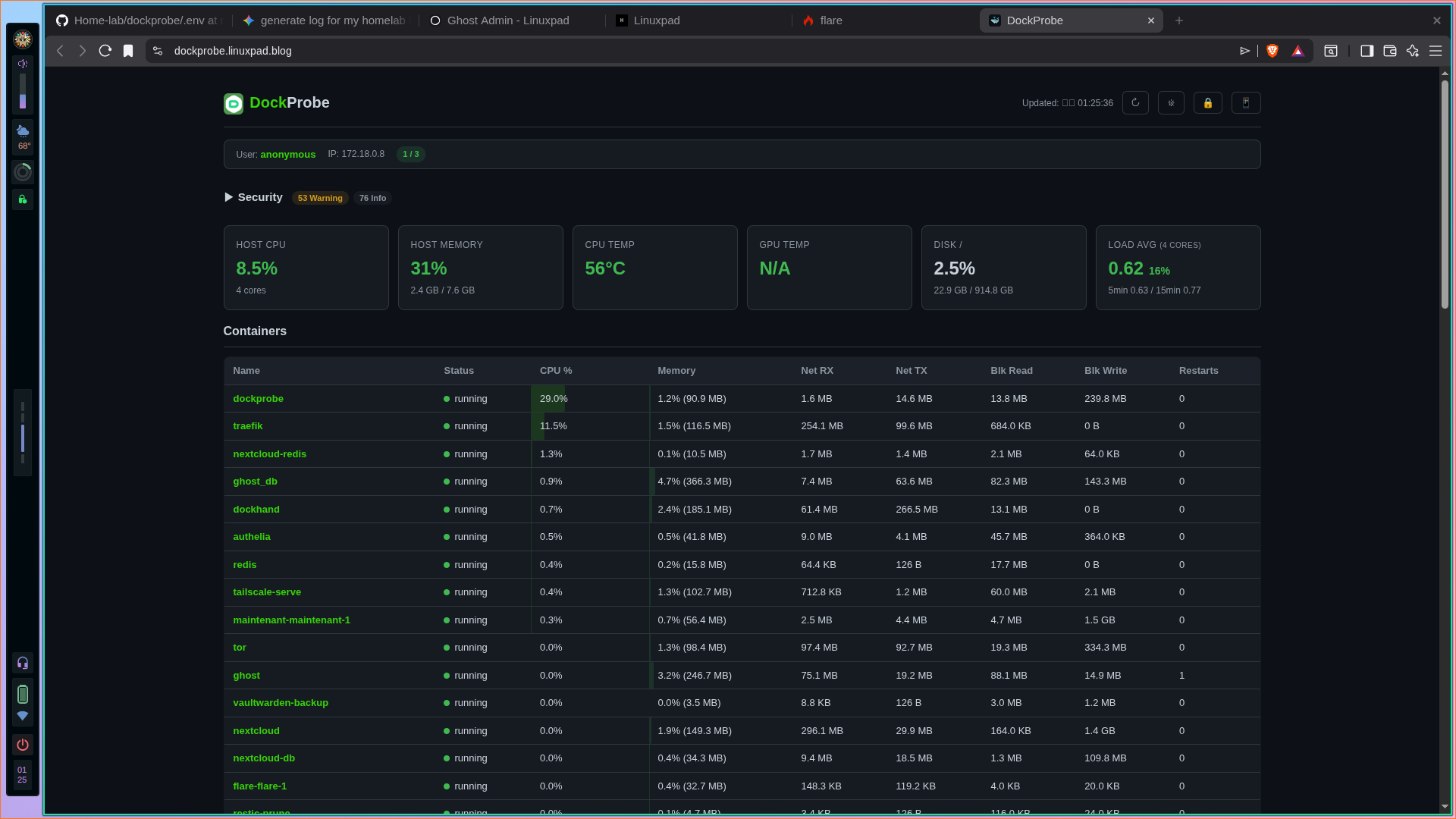
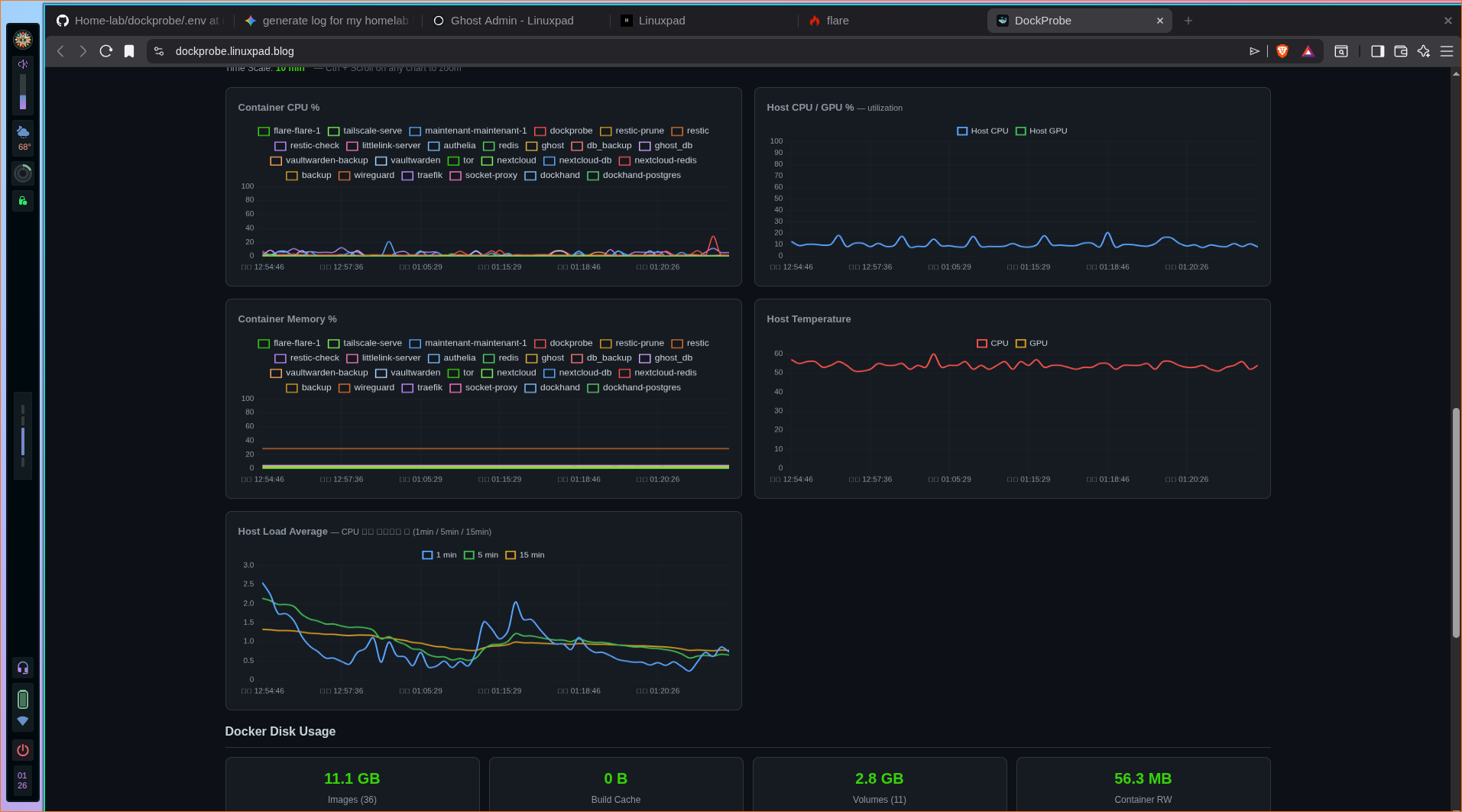
🛡️ Security Notice: All commits for my Home-Lab project are cryptographically signed using GPG Key ID
FF0825B4A1F7B871. You can verify my public key signature directly via my main site profile.
Conclusion: Proactive over Reactive
Relying on a container to completely crash before your system reacts is a recipe for silent downtime. Integrating a tool like Dockprobe into your deployment pipeline shifts your infrastructure from reactive recovery to proactive health management.
If you are building out a resilient home lab or managing independent Docker environments where full-scale Kubernetes overhead doesn't make sense, Dockprobe fills the gap flawlessly.