One Screen to Rule Them All: Building a Homelab Command Center with Glance
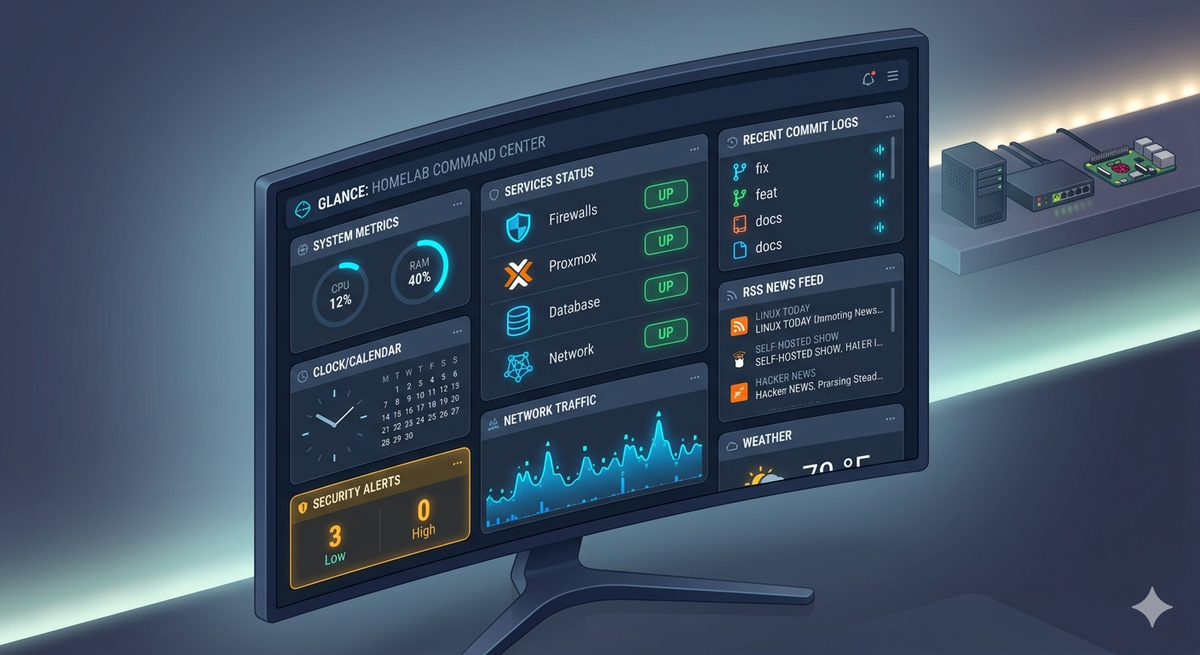
As a homelab grows, keeping tabs on everything becomes a chore. Between managing a Proxmox cluster, monitoring a Traefik reverse proxy, checking local Git repositories, and scanning tech news, you quickly find yourself drowning in a sea of open browser tabs.
I needed a single, centralized "start page" that could aggregate my entire digital footprint without consuming massive server resources. Enter Glance.
What is Glance?
Glance is an open-source, ultra-lightweight, and highly customizable self-hosted dashboard. Unlike heavier alternatives that require complex databases, Glance is driven entirely by a single, clean glance.yml configuration file. It can comfortably run inside a tiny Docker container or Proxmox LXC, consuming next to no memory.
Instead of just offering a static wall of bookmark icons, Glance serves as an active aggregator.
My New Command Center Setup
I recently restructured my Glance dashboard into a three-column layout designed to manage my day-to-day operations:
- Infrastructure Status: Real-time health tracking for critical infrastructure, mapping routes straight through Traefik to tools like Authelia, Vaultwarden, and my local Git repositories.
- Active Monitoring: A built-in release tracker that monitors GitHub repositories directly, alerting me the moment upstream updates drop for apps like Immich or Jellyfin.
- Information Aggregation: Clean, horizontal cards parsing local subreddits and essential open-source RSS feeds (like Phoronix and Hacker News) alongside customized YouTube and Twitch creator widgets.
Clean Aesthetics, Zero Friction
The real beauty of Glance is its minimalist design philosophy. With a dark, cyberpunk-inspired theme (electric teals and deep charcoal slate hues), it bridges the gap between raw data utility and clean design aesthetics.
If you are looking to strip the friction out of your morning server checks and want a beautiful, unified view of your infrastructure, Glance is the weekend project your homelab needs.
services:
  glance:
    image: glanceapp/glance
    volumes:
      # FIX: Mount the config to the correct location the app expects
      - ./glance.yml:/app/config/glance.yml
      - ./assets:/app/assets
      - /etc/timezone:/etc/timezone:ro
      - /etc/localtime:/etc/localtime:ro

    networks:
      - traefik
    restart: unless-stopped
    labels:
      - "traefik.enable=true"
      - "traefik.docker.network=traefik"
      - "traefik.http.routers.glance-http.entrypoints=http"
      - "traefik.http.routers.glance-http.middlewares=redir-https@file"
      - "traefik.http.routers.glance-http.rule=Host(`glance.linuxpad.blog`)"
      - "traefik.http.routers.glance-http.service=noop@internal"
      - "traefik.http.routers.glance-https.entrypoints=https"
      - "traefik.http.routers.glance-https.tls=true"
      - "traefik.http.routers.glance-https.tls.certresolver=le"
      - "traefik.http.routers.glance-https.rule=Host(`glance.linuxpad.blog`)"
      - "traefik.http.routers.glance-https.middlewares=gzip@file,authelia@docker"
      - "traefik.http.routers.glance-https.service=glance-backend"
      # FIX: Default internal container port is 8080
      - "traefik.http.services.glance-backend.loadbalancer.server.port=8080"

networks:
  traefik:
    external: true
server:
assets-path: /app/assets
theme:
# Premium Deep Space / Cyberpunk theme
background-color: 220 20 10 # Deep slate charcoal/navy
primary-color: 180 80 55 # Electric Cyan/Teal accents
negative-color: 15 85 55 # Sunset Amber / Muted Orange warnings
pages:
- name: Home
columns:
# Left Column: System utility, system metrics, and quick tracking
- size: small
widgets:
- type: clock
time-format: 24h
show-date: true
- type: calendar
- type: weather
location: Chicago, USA
unit: F
- type: markets
title: Tech & Crypto Watch
markets:
- symbol: BTC-USD
name: Bitcoin
- symbol: NVDA
name: NVIDIA Corp
- symbol: AMD
name: AMD Hardware
- type: releases
title: Software Tracking
repositories:
- immich-app/immich
- forgejo/forgejo
- dani-garcia/vaultwarden
- jellyfin/jellyfin
- traefik/traefik
# Middle Column: The Command Center (Search, Services Status Dashboard)
- size: small
widgets:
- type: search
search-engine: duckduckgo
placeholder: Search the matrix...
- type: monitor
cache: 30s
title: Infrastructure & Security
sites:
- title: Traefik Proxy
url: https://traefik.linuxpad.blog
icon: /assets/svg/traefik.svg
- title: Flare
url: https://flare.linuxpad.blog
icon: /assets/svg/application-gateway-container.svg
- title: Tailscale Admin
url: https://login.tailscale.com
icon: /assets/svg/tailscale-light.svg
- title: Vaultwarden
url: https://vault.linuxpad.blog/#/login
icon: /assets/svg/vaultwarden.svg
- title: Proxmox VE
url: https://pve.tail9f20b.ts.net/
icon: /assets/svg/proxmox.svg
- title: Maintenant Dashboard
url: https://maintenant.linuxpad.blog/dashboard
icon: /assets/svg/uptimerobot.svg
- title: Dockprobe Container Dashboard
url: https://dockprobe.linuxpad.blog/
icon: /assets/svg/healthchecks.svg
- title: Pi-Hole DNS
url: http://100.99.187.98/admin/
icon: /assets/svg/pi-hole.svg
- type: monitor
cache: 45s
title: Media & Apps
sites:
- title: Jellyfin Media
url: https://jellyfin.linuxpad.blog
icon: /assets/svg/jellyfin.svg
- title: Plex Media
url: http://192.168.1.179:32400
icon: /assets/svg/plex.svg
- title: Forgejo Git
url: https://git.linuxpad.blog
icon: /assets/svg/git.svg
- title: Immich Photos
url: https://immich.linuxpad.blog
icon: /assets/svg/immich.svg
- title: Dockhand Container Dashboard
url: https://dockhand.linuxpad.blog
icon: /assets/svg/docker.svg
# Right Column: Entertainment, Feeds, and Communities
- size: full
widgets:
- type: rss
title: Linux & Homelab Intelligence
limit: 8
collapse-after: 3
cache: 1h
style: horizontal-cards
feeds:
- url: https://www.phoronix.com/phoronix-rss.php
title: Phoronix (Linux Hardware)
- url: https://www.linuxtoday.com/feed/
title: Linux Today
- url: https://selfhosted.show/rss
title: Self-Hosted Show
- url: https://news.ycombinator.com/rss
title: Hacker News
- type: reddit
title: Homelab Communities
style: horizontal-cards
subreddit: homelab+selfhosted+linux+proxmox
- type: videos
title: Homelab Creator Network
cache: 2h
channels:
- UCR-DXc1voovS8nhAvccRZhg # Jeff Geerling
- UCOk-gHyjcWZNj3Br4oxwh0A # Techno Tim
- UCS-NkJiYhYku2YtKi2W4p3w # La chaîne de P.A.U.L
- UC_yP2DpIgs5Y1uWC0T03Chw # Joueur Du Grenier
- type: twitch-channels
title: Live Streams
channels:
- theprimeagen
- christitustech
- mrchonks
- blurbsAssets Mount:
This will generate the needed png & svg icons. Make sure to copy the needed svg/png directories into the generated assets folder:
git clone https://github.com/walkxcode/dashboard-icons.git